AI Platform
MCP search now includes issue body text, not just titles

Everything we ship to Pylon, every week. Search it, filter it by product area, or link straight to a single update.
A permanently closed ("hard-close") issue state, configurable SLA start times with longer targets, and a new Routing Overview page for assignment rules — plus per-account branded customer portal domains, per-person capacity limits across channels, and more across the platform.
New Intake triggers for SSO/SCIM user provisioning, multi-person outbound dialing, and REST/MCP API additions for tags and search — plus AI Reports gaining task and NPS data sources, Jira and Salesforce sync refinements, and more across the platform.
Covering the week of Nov 2–8: bulk issue actions scoped to the current view with bulk undo, SLA time remaining filters across issue and saved views, and new Intake improvements for conference calls, phone numbers, and Teams — plus Jira/Linear product-intelligence mapping updates, customer portal export presets, and more across the platform.
A major release: Support Agent, Automations, Assist Agent, Skills, and Connectors all reach general availability — plus capacity management for agent routing, a Kanban board for Tasks, an embedded Salesforce ticket viewer, and more across the platform.
Create, test, and deploy AI agents that answer customer questions, collect information, and resolve common issues.
Build workflows that trigger on events or on a recurring schedule, using AI instructions or Skills.
A personal AI agent that helps investigate issues, draft replies, and take actions using your workspace context.
Encode standard procedures as reusable Skills for agents and Automations.
Connect external tools via MCP servers or custom APIs.
Covering the week of Oct 20–26: capacity-adjacent analytics, Telegram chat-widget routing, Google Drive as a native connector, five-year analytics date ranges, user-status-aware call routing, and more across the platform.
The CSM & CS Leader Overview brings AI-powered account signals and tactical work into one home, Customer Portal description boxes gain full quoted email history and resizing, and new analytics filters make charts far more flexible — plus RBAC controls for team and assignee fields, incident.io incidents from internal threads, and more across the platform.
Export all data for a single caller for privacy compliance, configurable call-recording retention, and Ticket form conditions for Slack and Teams — plus Mermaid diagrams in the Knowledge Base, a new incident management API, bulk account inactivation, and more across the platform.
Field-level RBAC brings per-role read and edit control to custom fields, Microsoft Teams gains ticket form support matching Slack, and triggers can now fire when a meeting transcript is ingested — plus a waiting-room dispatcher for inbound calls, granular macro permissions, and more across the platform.
CRM attribute sync now runs independently per org, Health Score edits always reopen the builder UX, and Microsoft Teams ticket forms accept only one submission per card — plus contact custom field history in the global contacts table, an org-wide automation picker for SLA counting, and more across the platform.
Duplicate detection can now be scoped by customer type, subtasks can be drag-and-dropped into standalone tasks, and the "Send form" trigger action gains template variables — plus a new "Internal thread created" trigger event, Telegram message-level quote replies, and more across the platform.
AI-driven custom fields land on contacts, milestone and task completion dates become trackable and editable, and public API responses gain stable machine-readable error codes — plus phone trigger templates, faster KB article translation, CSV export improvements, and more across the platform.
A large holiday-week release: contact formula and web-research fields, project completion tracking and API additions, custom field groups, warehouse sync controls, and broad support, survey, and knowledge base improvements.
Health Score Builder reaches general availability, Knowledge Base articles gain locale URLs and multilingual sitemaps, and phone number provisioning can now be canceled mid-request — plus audit log expansion, Feature Requests via the Pylon MCP server, and more across the platform.
Customer portal forms gain contact-level filters and admin task creation, restricted issues support collaborators, and SLA breach detection gets significantly faster — plus audit log exports, Feature Request API improvements, and more across the platform.
Ordered fallback rules bring smarter CRM account matching, customer portals gain multi-domain support, and Audit logs can now be exported as CSV — plus REST API user activation state and more across the platform.
Issue Number becomes a sortable column across Issues views, recurring schedule triggers gain tag actions on issues and accounts, and Feature Request search lands on account pages — plus custom field visibility rules and more.
A heavy Account Intelligence week: projects and tasks in formulas, Salesforce domain matching, account hierarchy in the REST API, plus multi-level conditional ticket forms and more.
Rollup fields on contacts, API token rotation with grace period, create issues directly from Tasks, and Feature Request lifecycle triggers — plus more across the platform.
Pylon rebranded and released Agentic Support in open beta — humans and agents collaborating on customer work. Plus Smart Projects & Tasks, portal Kanban/Gantt views, and more.
Pylon has rebranded and released Agentic Support in open beta. This release lets humans and agents collaborate on customer work — investigating, resolving, and acting on every signal.
Team SLAs now appear in the issue sidebar and kanban views. Per-team and per-chat-widget support hours, inline Jira issue creation, and knowledge base improvements.
You can now assign an account directly from the contact sidebar when no account is associated. Shared Account Notebooks let CSMs share curated notebooks and success plans through the Customer Portal.
You can now add internal comments on tasks within projects Custom object related lists on accounts now support sorting, filtering, and column controls…
Account Intelligence: The REST API now supports setting a parent account ID on accounts AI Insight references are now available in account overview…
Account notebooks now show portal visibility cues Custom field syncs now support deleting mapped fields when removing a sync Notebooks page is now…
Formula fields now support counting multi-select options with len() Projects & Tasks are now accessible via MCP Sync custom objects to the CRM Filter…
You can now bulk-select and act on multiple opportunities at once You can now edit the date and time of manually created meetings Customer portal…
You can now edit the Primary External Channel directly from the accounts table You can now upload a CSV to bulk update accounts You can now group…
New "Last Vendor-side Communication" field surfaces vendor messages not previously tracked You can now review AI reasoning behind notebook block outputs
Salesforce contacts now correctly sync for accounts added after the initial full sync New "Last Vendor Activity" default field for tracking vendor…
Contacts now show Last Meeting Date and Next Meeting Date fields You can now insert articles into tasks directly from the menu Notebook Projects widget…
Tasks now support native PDF and Excel file attachments Task comments are now available via the REST API Subtasks are now included when creating…
HubSpot deal stage options now include the pipeline name, preventing confusion when multiple pipelines share the same stage labels You can now quickly…
Project views can now be sorted by any custom field Rename CRM-synced fields — you can now edit the display name of fields synced from HubSpot or…
Ticket form submission emails can now include {{issue.customer_portal_url}} to link customers directly to their portal ticket Customer portal form sets…
Select multiple projects at once and apply bulk actions — archive, update, or manage them directly from the all-projects view
Contact phone numbers are now visible directly in the issue detail sidebar — no need to navigate to the full contact page
Automate actions based on task and project activity — trigger workflows when a task's custom field changes or a task status is updated, and take direct actions on tasks from any automation
updated_at Timestamp in the Issues APIThe Issues API now returns an updated_at field, allowing data sync tools like Fivetran and ClickHouse to detect changed records and sync only what's new — no more full re-syncs on every run
{{issue.customer_portal_url}} to link customers directly to their portal ticket/accounts API now supports an account_type field when creating accounts/import/contacts endpoint now allows the same email address across different accounts, unblocking contact migrationsRetrieve deleted Knowledge Base articles before they are permanently removed Default email sender option is now saved in local storage Headers inside…
Tasks can now be automatically created from trigger actions based on events
Create reusable content blocks across knowledge base articles
Video file attachments now play natively within Pylon
Issues can now be deleted and restored from a dedicated deleted issues view
Improved permissions layout and clarity in the portal access scope settings Analytics tables updated with new metrics and improved column display
Admins can now update the email address for any user in their organization directly from team settings — no support ticket required.
The audit log now captures when a trigger is enabled or disabled, giving you a full history of who changed trigger states and when.
Survey response comments are now analyzed by AI for deeper account insights Pinned account fields now appear in a dedicated card in the account sidebar
Connect external tools like GitHub, Linear, and Notion directly to Pylon AI — your agent now has real-time access to data across your entire stack.
Define your own status stages for feature requests beyond the defaults. Create statuses like "Planned", "Under Review", or "Won't Do" to match exactly how your team tracks product feedback.
MCP: get account endpoint now returns objects; new get objects endpoint addedAccount-level view of all Jira and Pylon issues for a customer Customize contacts table columns with persistent views Bulk edit custom fields in the…
Contact fields now sync both ways between Pylon and HubSpot — edit a contact in Pylon and it writes back to HubSpot automatically.
When working a ticket, Pylon surfaces related feature requests in the sidebar — close the loop without leaving the issue.
New attachments area in the issue sidebar for easier file management Clickable inline images when viewing issues — click to zoom AI custom fields now…
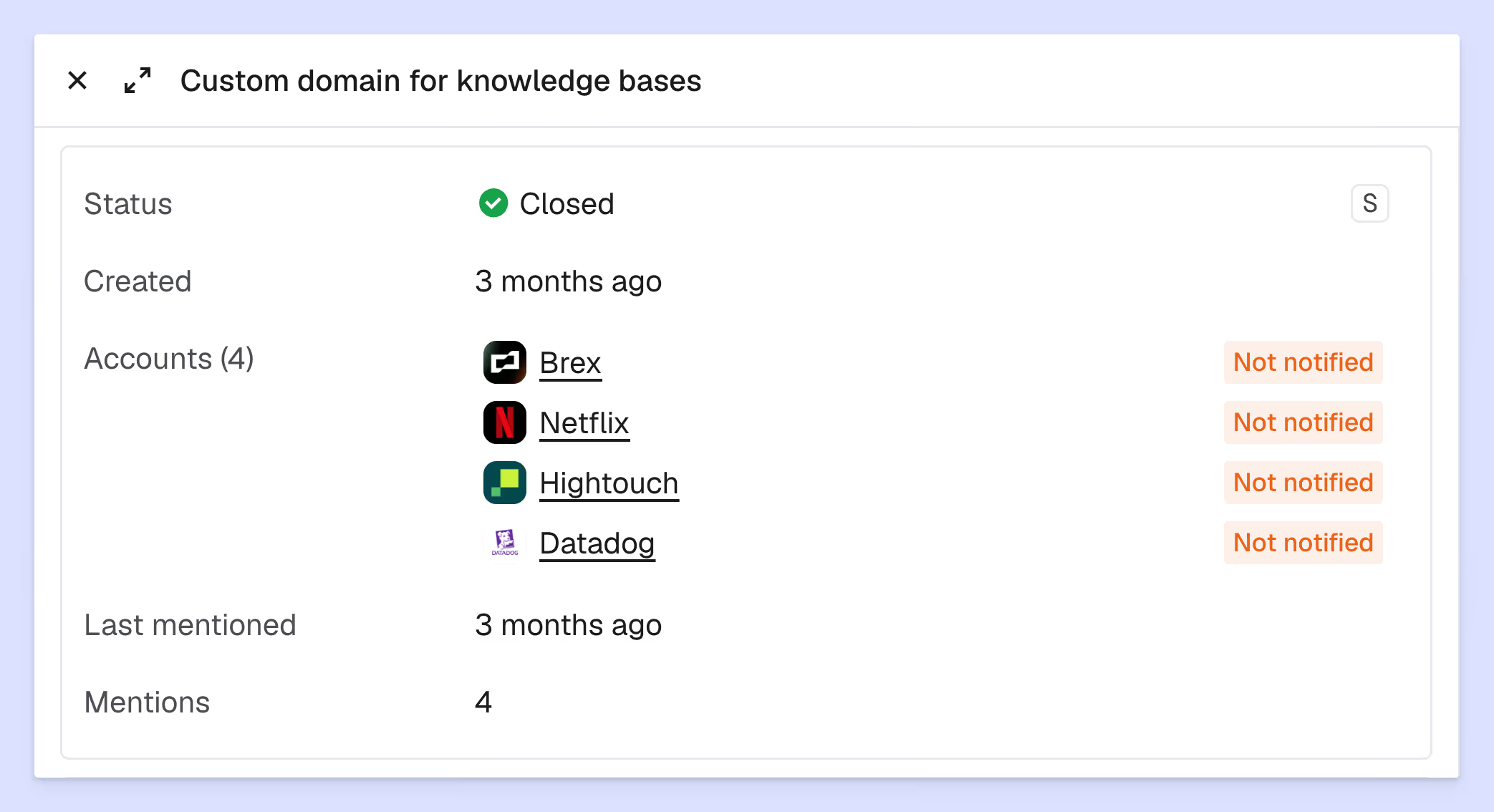
When a feature request is marked Done, see which accounts have been notified. Pylon scans issue messages, calls, and broadcasts to automatically track who's been told — so you can close the loop with every requester
Leave comments in external systems (Linear, Jira, etc.) directly from a Pylon issue Richer context on Linear ticket completion — see more detail on…
Trigger automations when customers complete NPS surveys to route responses, notify teams, or update fields based on scores Configure triggers to fire…
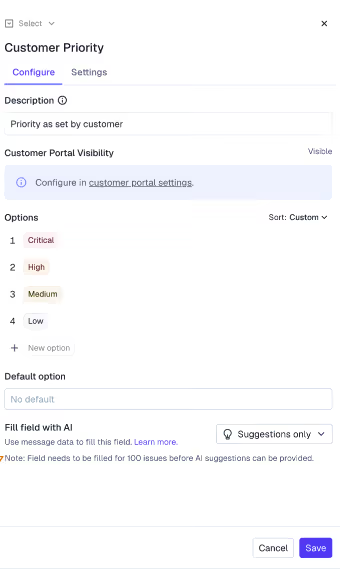
Enhanced AI-powered issue field tagging with suggest mode for human review, improved accuracy, and automatic AI field generation from historical manual tagging data
Product status changes available as a trigger condition "Internal Channel" and "External Channel" are now available as filter options in triggers,…
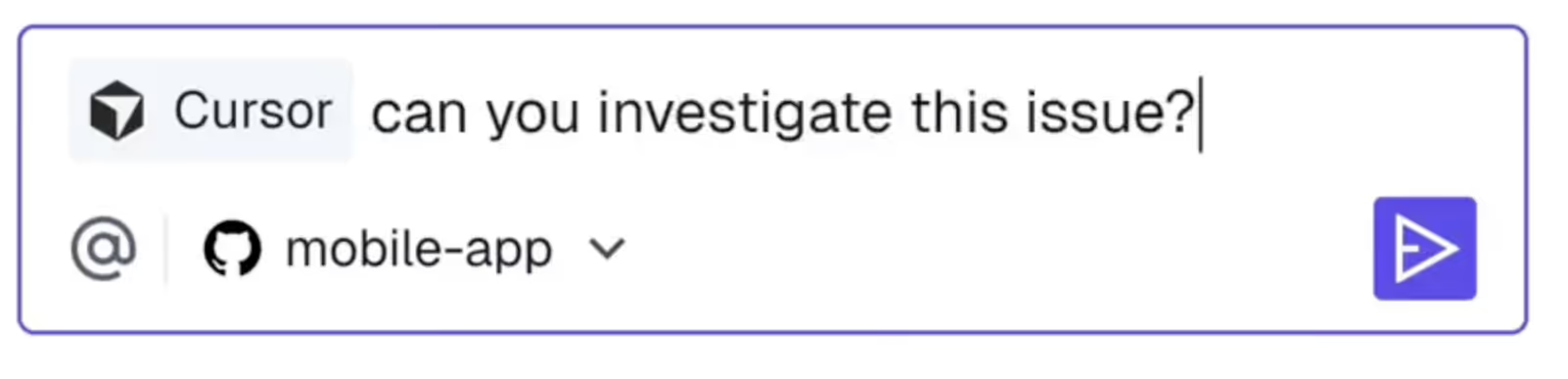
Mention @Cursor in your message. Pylon will feed context to Cursor's agent and deliver a response from Cursor right in your issue copilot
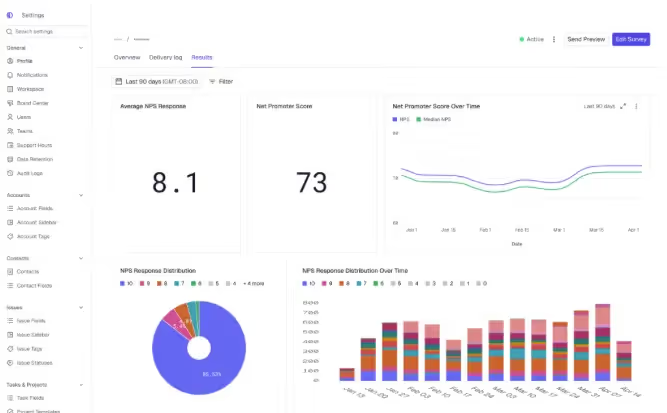
Robust NPS survey system with drip campaigns, reminders, audience preview, omnichannel delivery, and centralized analytics
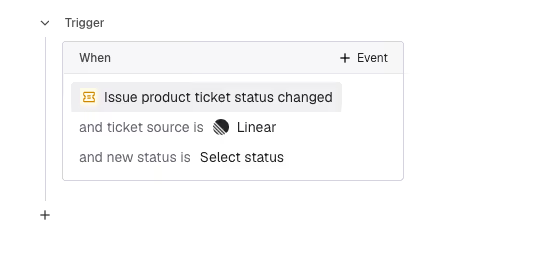
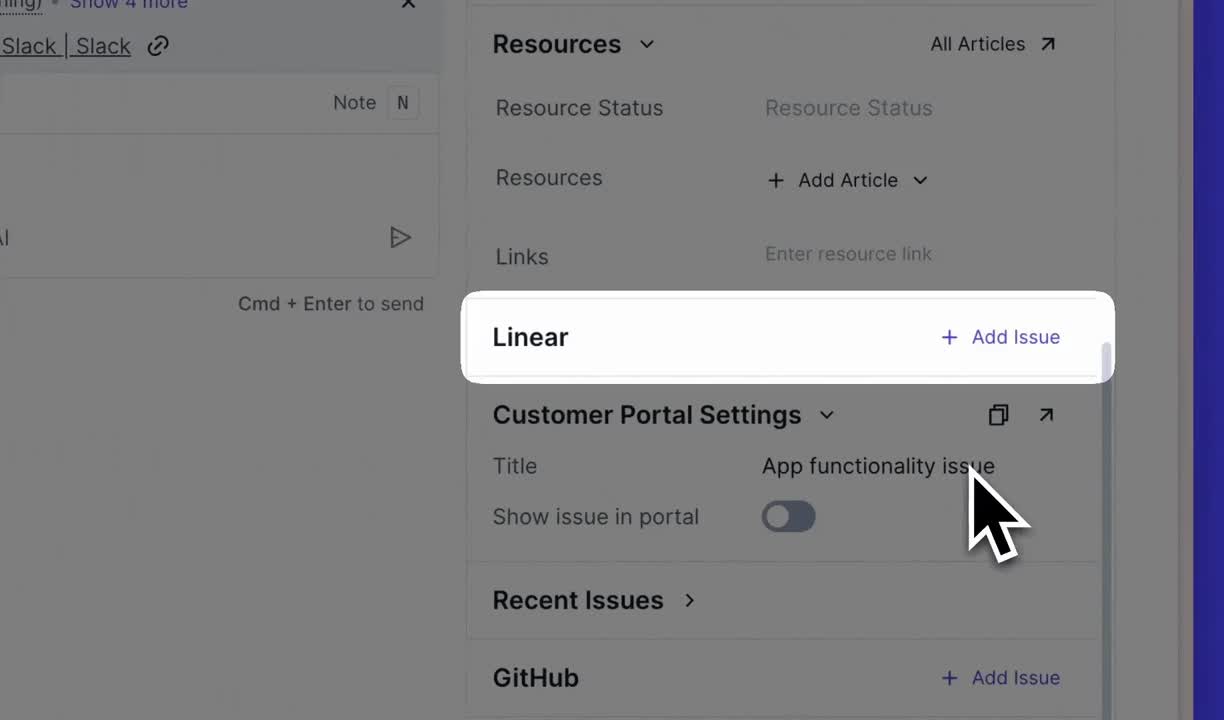
Map Pylon fields to Linear and Jira fields to automatically populate ticket information when creating issues Graph how values changed over time based…
Text messages from your customer support number now sync into Pylon as issues
Send chat notification emails from a configured custom domain instead of the default usepylon.com address Messages sent in quick succession are now…
Configureable visibility from Slack bots, apps, and workflows into Pylon Set up automatic notifications when Pylon detects anomalies in your support…
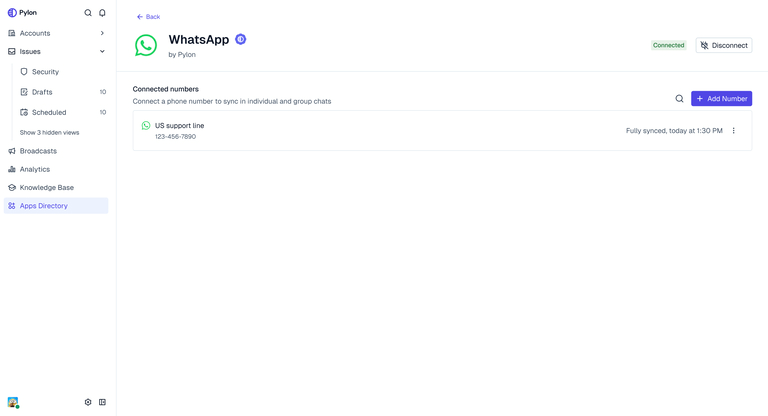
Connect Pylon to WhatsApp group chats to create issues from conversations
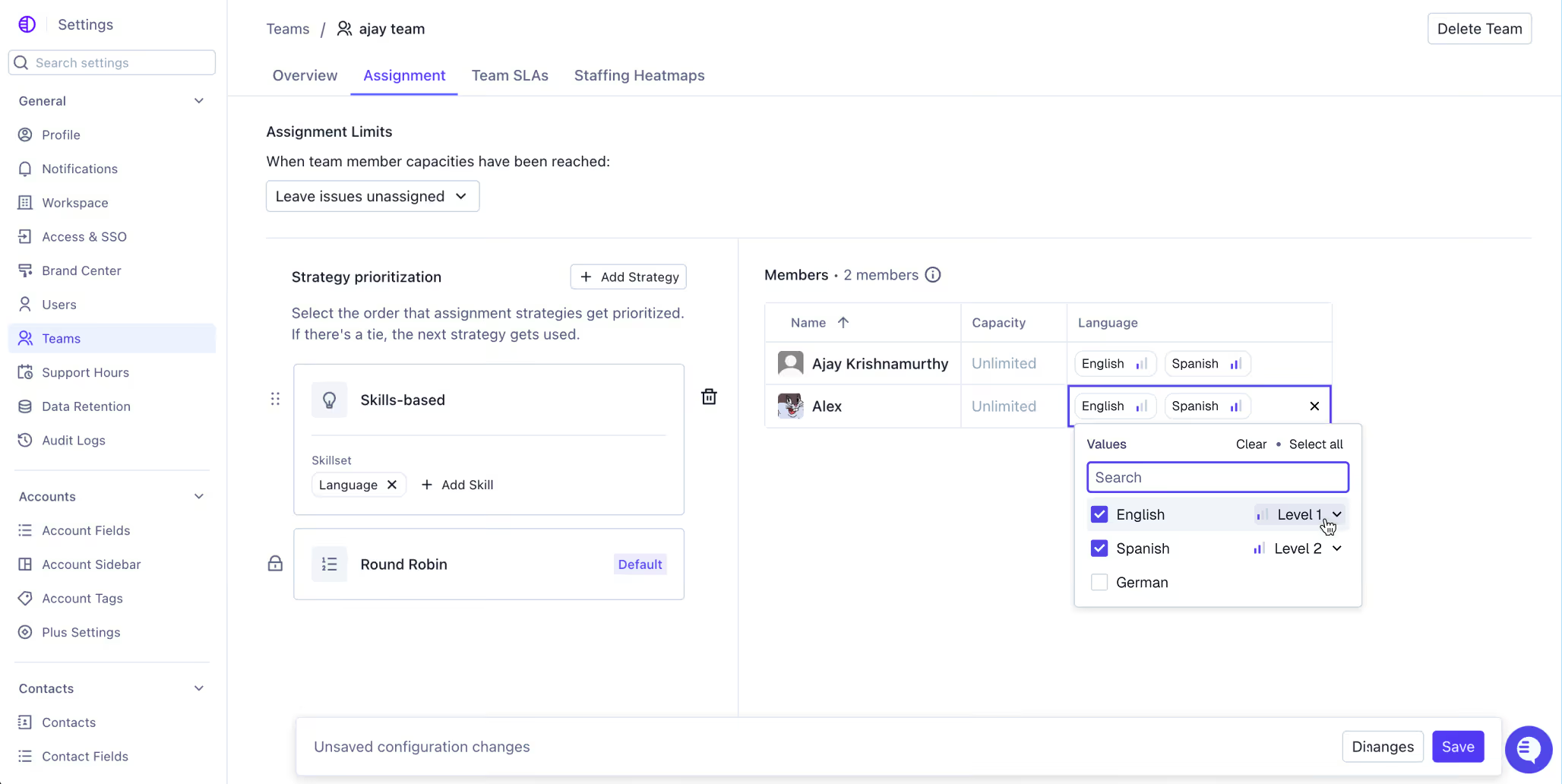
Set a skill and threshold in routing rules to ensure conversations reach team members with subject area expertise
Add your privacy policy to the bottom of chat widget
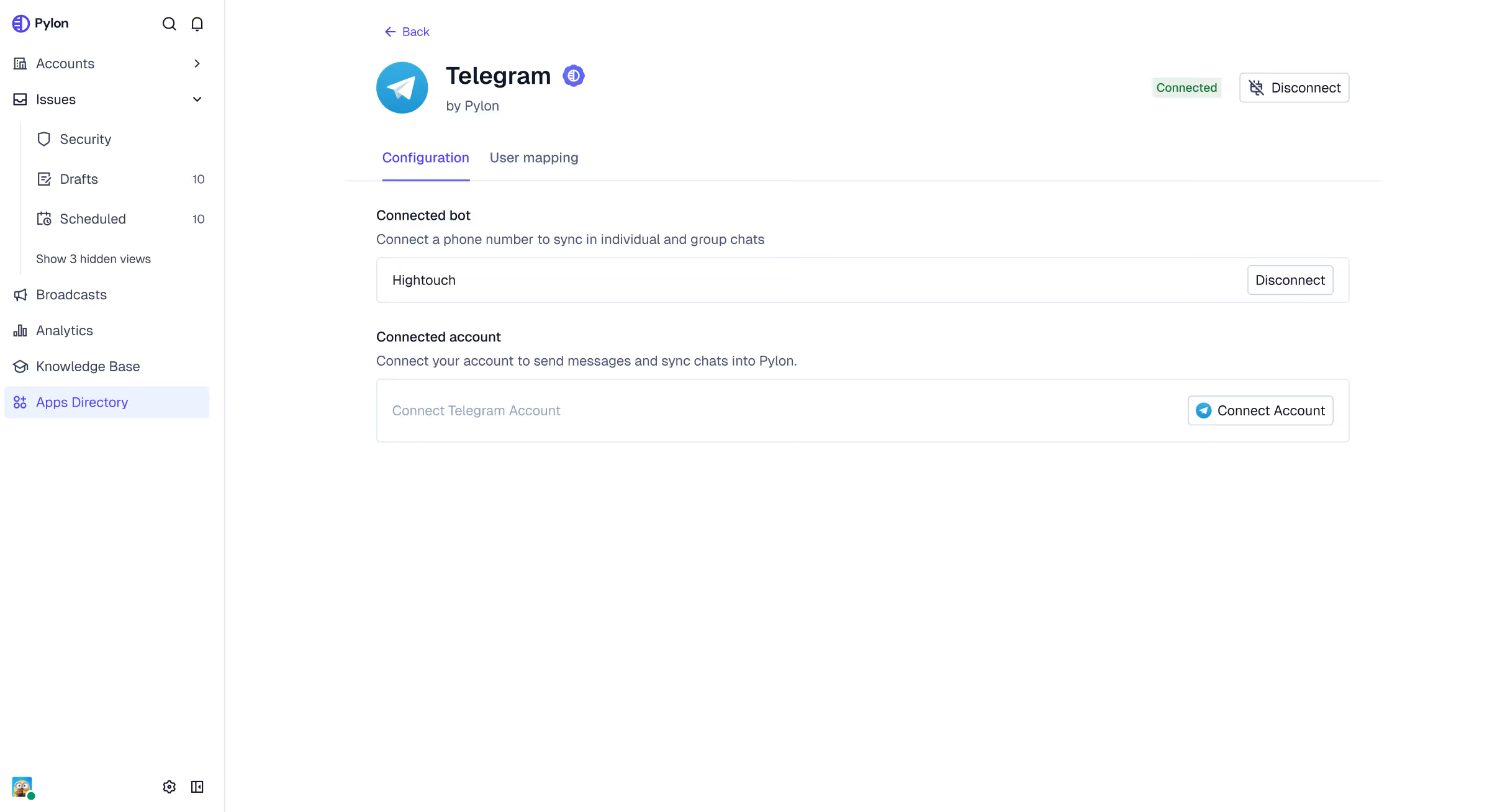
Connect Pylon to Telegram to create issues from Telegram conversations

Schedule automated summaries and insights delivered to Slack channels on a daily, weekly, or monthly cadence
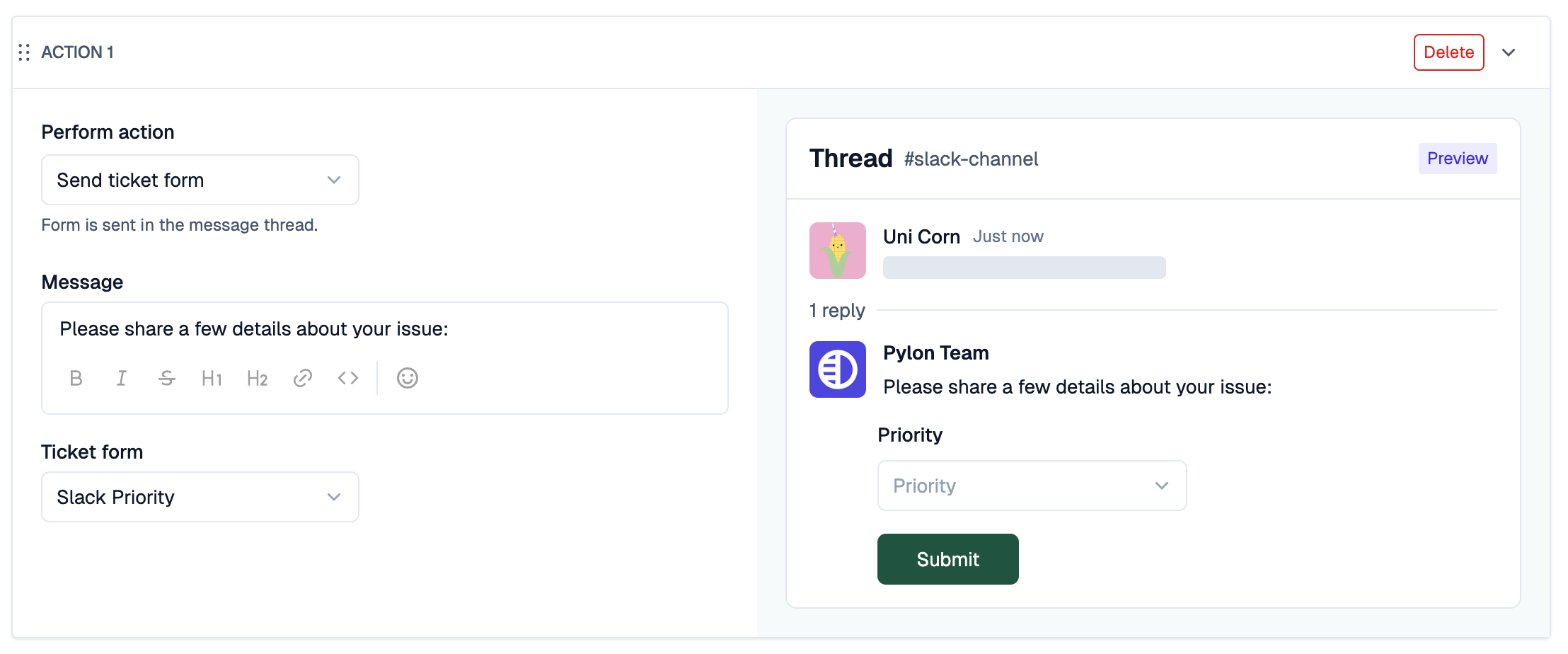
Slack Ticket Form Field Requirements — required fields (*) in Slack ticket forms must be completed before submission Delete custom actions from AI…
Track account owner changes in account activity log Split feature by adding individual titles via vertical ellipsis Project custom field available via…
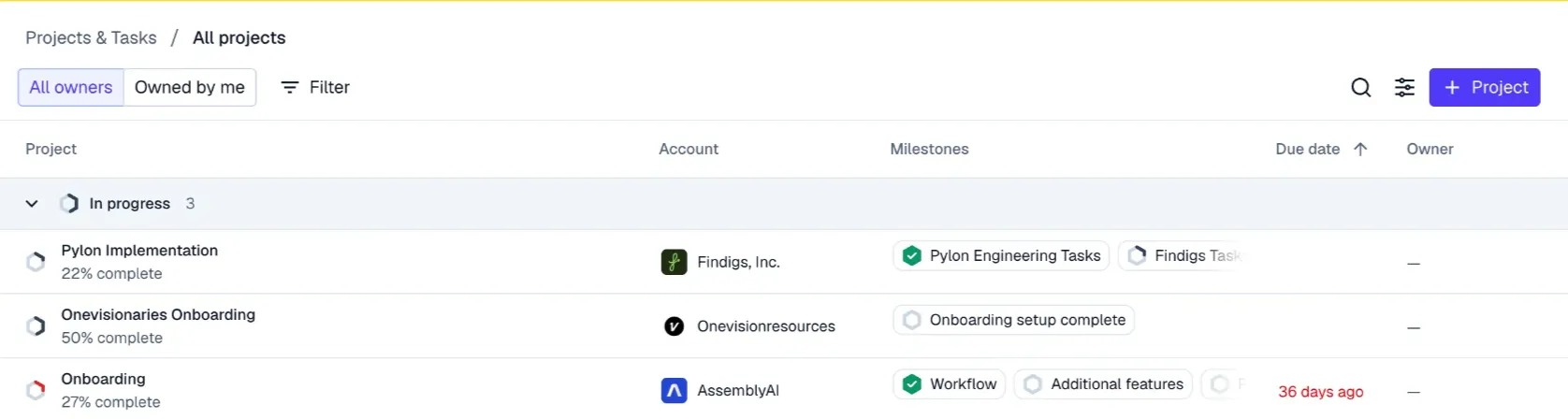
View a list of all projects with options to sort, group, and configure columns
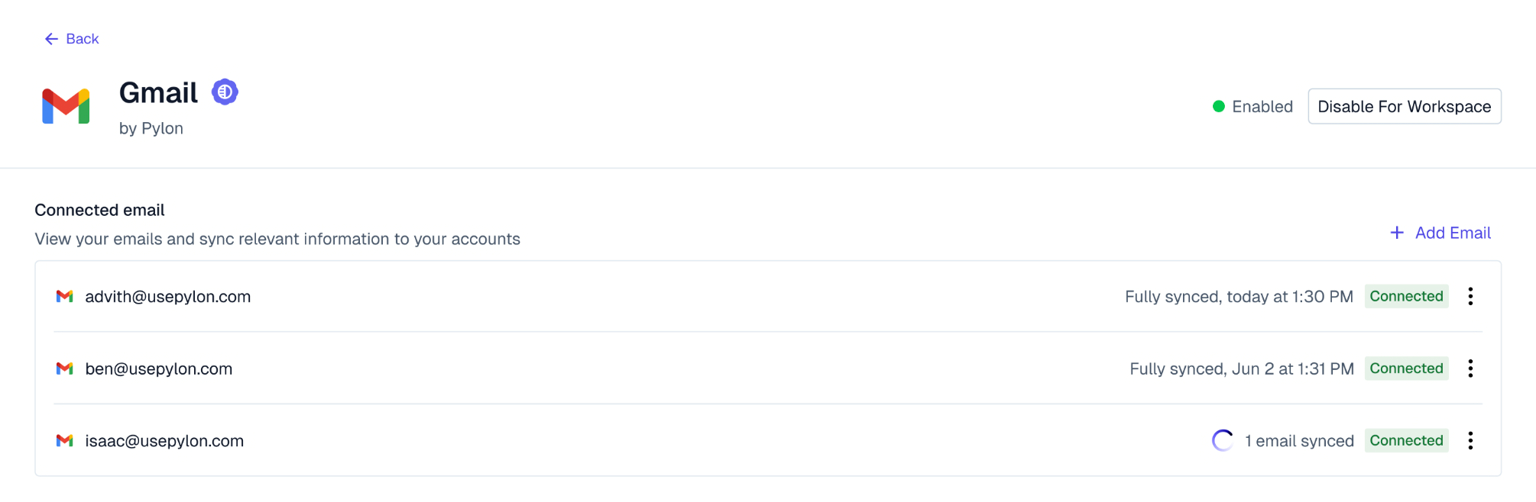
Connect your personal email inbox (e.g. bob@company.com) to Pylon to seamlessly pull historical and future emails into account activity
Accounts that are possible duplicates will be visually flagged for merging Modify or add external IDs from the account sidebar or account overview page
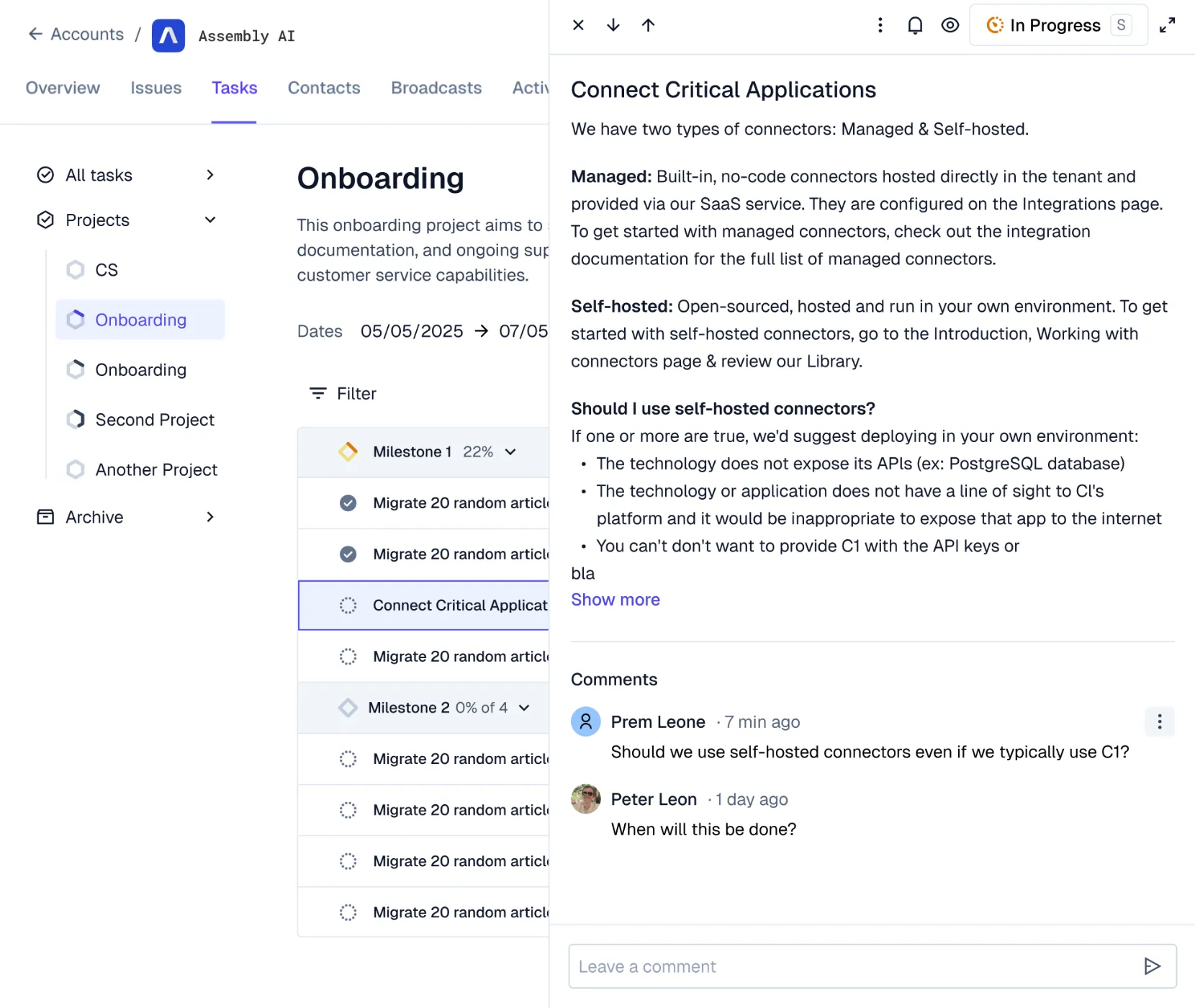
Customers and end-users can leave comments on tasks. End-users can comment within the customer portal and customers can comment within Pylon
Contacts can now be assigned custom roles to limit their access with granular permissions. For example. the admin can see all issues & a regional manager can see all issues tagged with a specific region
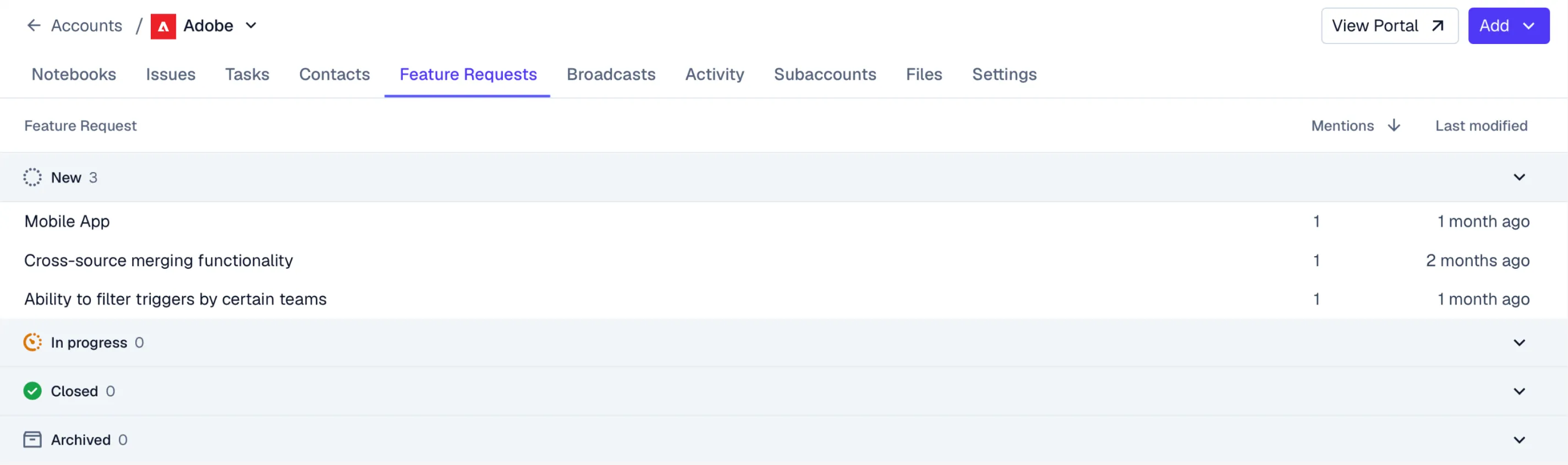
New tab on account page showing all feature requests updates Feature Request updates relevant to an account now appear directly in notebooks via blocks
Pylon chat can now be embedded within Android, iOS, or React Native mobile apps
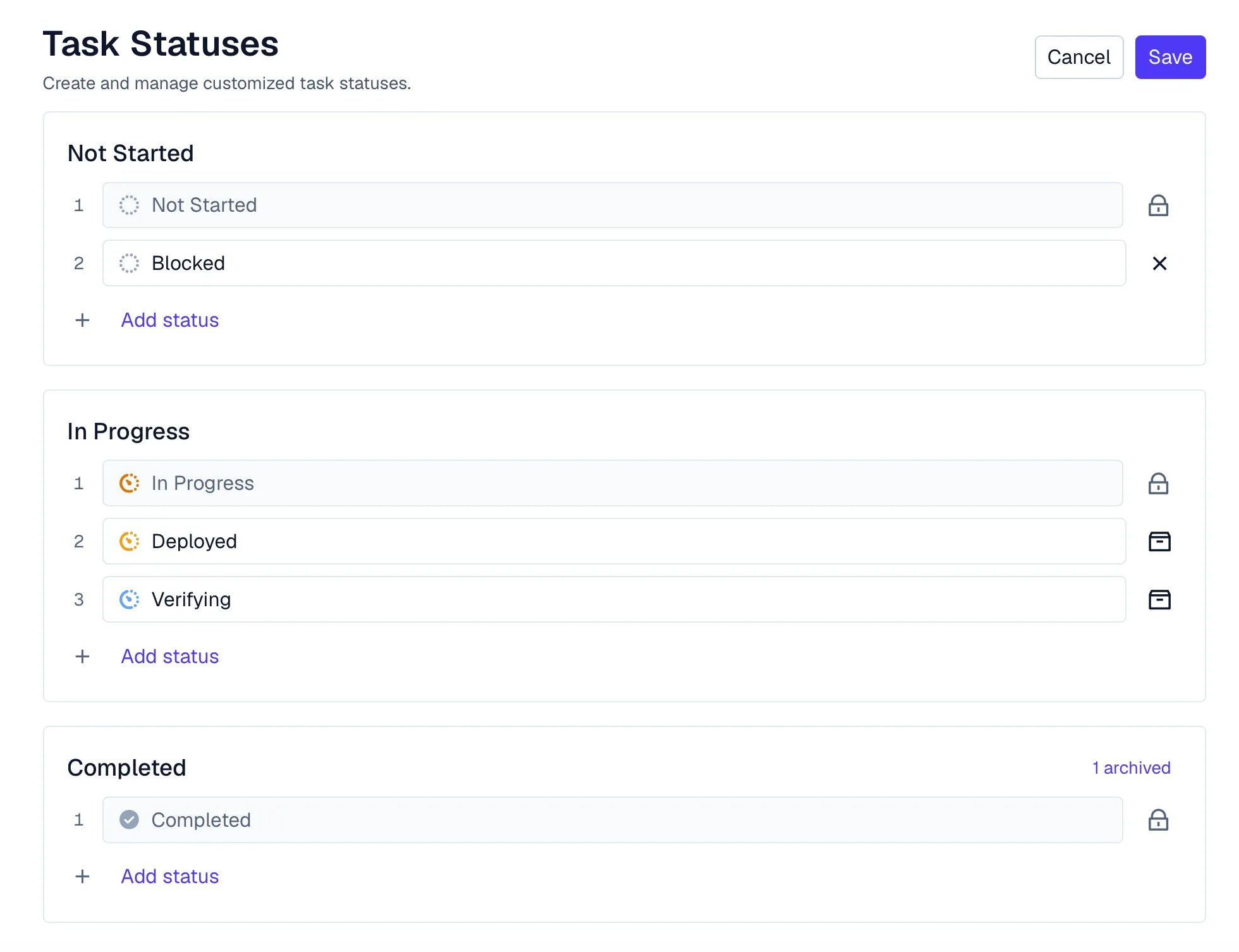
Custom statuses can now be created for tasks to represent unique workflows
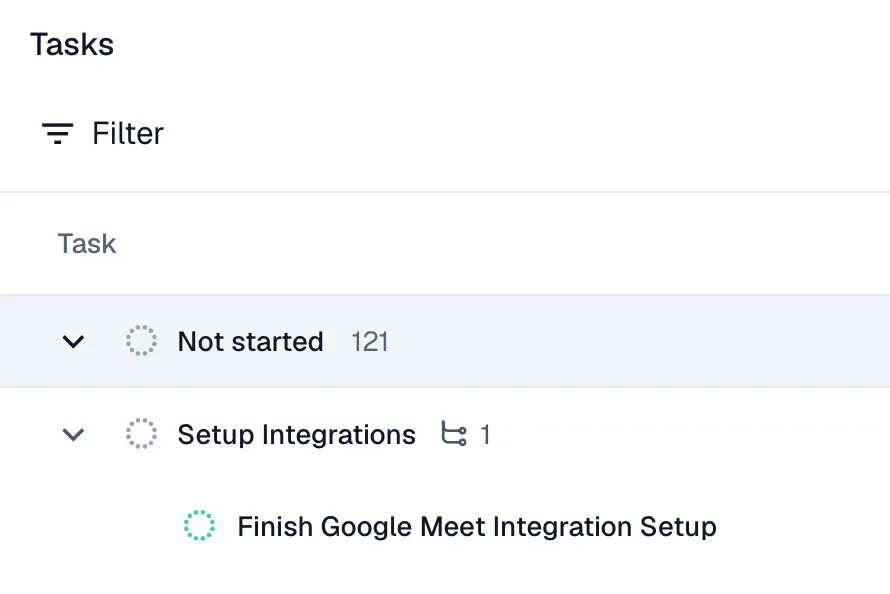
Tasks can now have subtasks. Subtasks automatically inherit the account, project, and milestone from their parent task
Richer NPS slack notifications Bidirectional Salesforce Field Sync — mapped fields sync both ways between Pylon and Salesforce
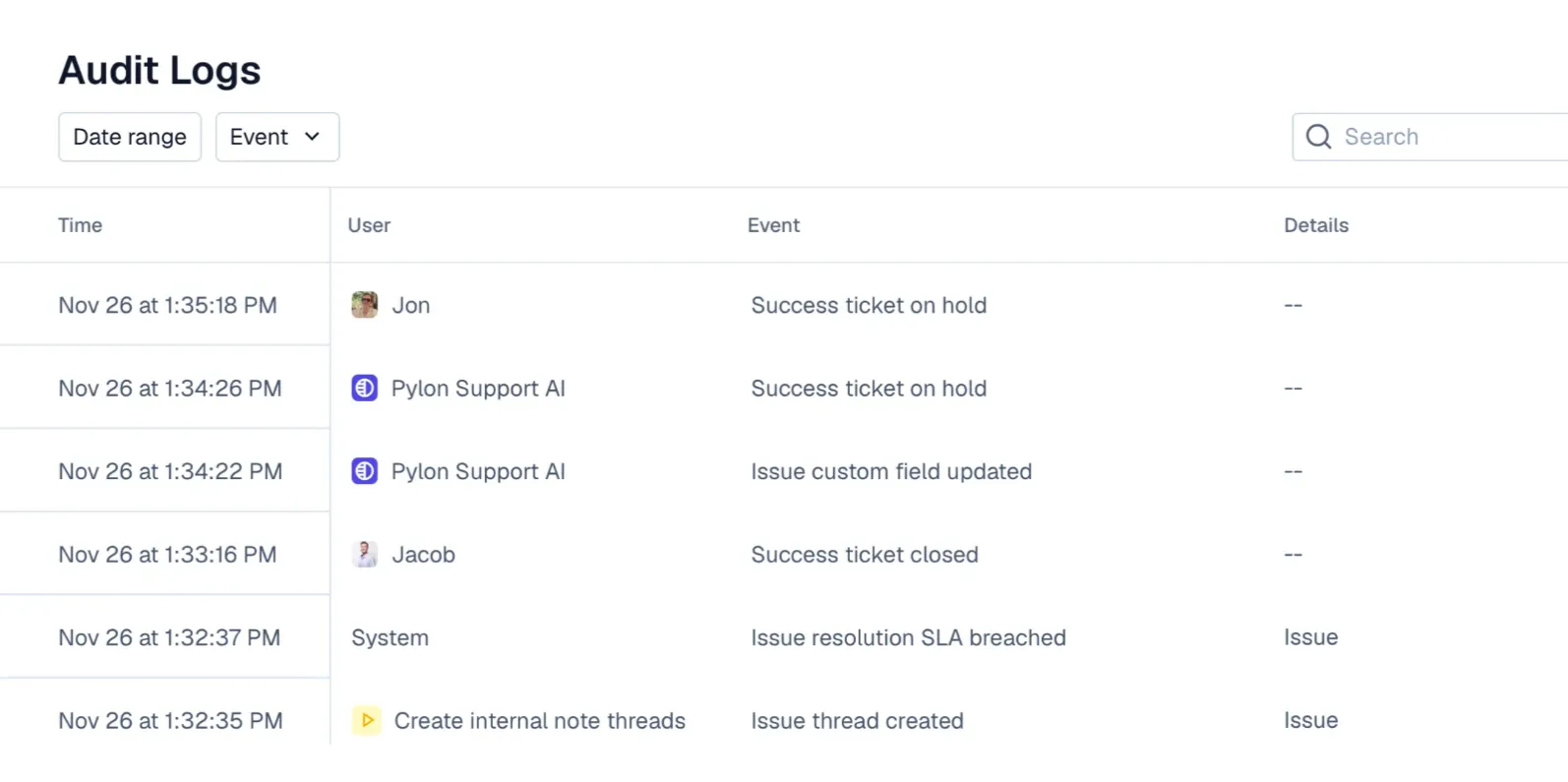
Audit Logs capture events and include clear actor information to improve traceability across account-level changes such as settings updates, user management actions, and more
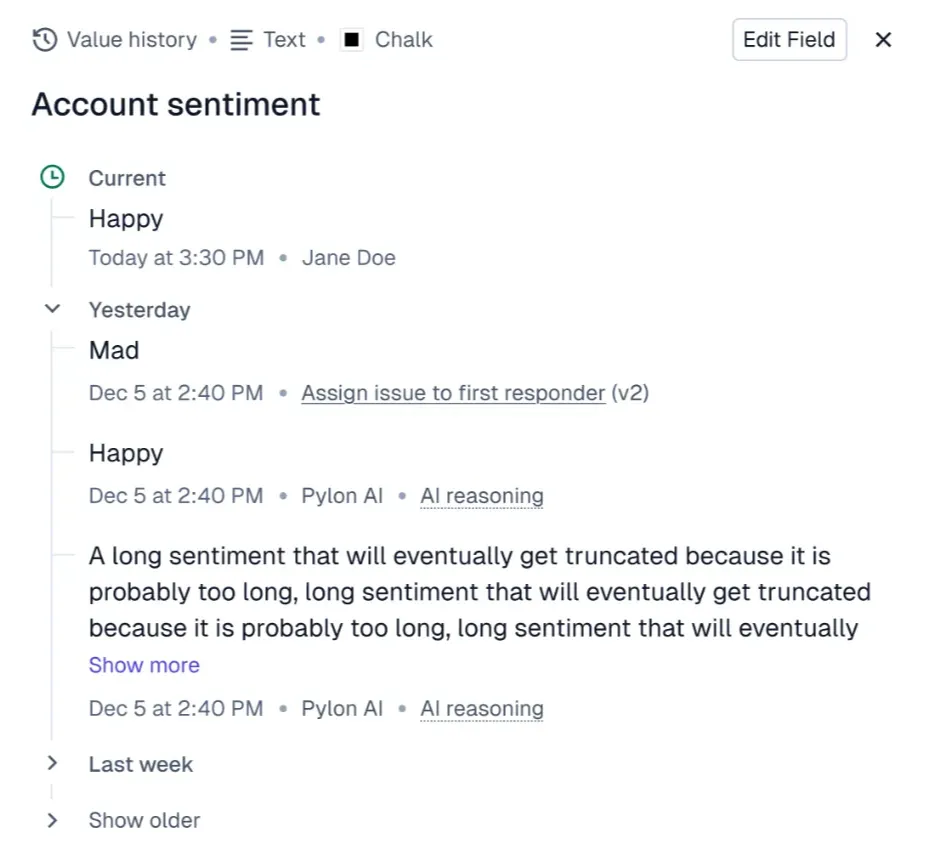
Field values like ARR and sentiment can now be tracked over time — for example, you can monitor changes in ARR or the number of accounts in a book of business over time
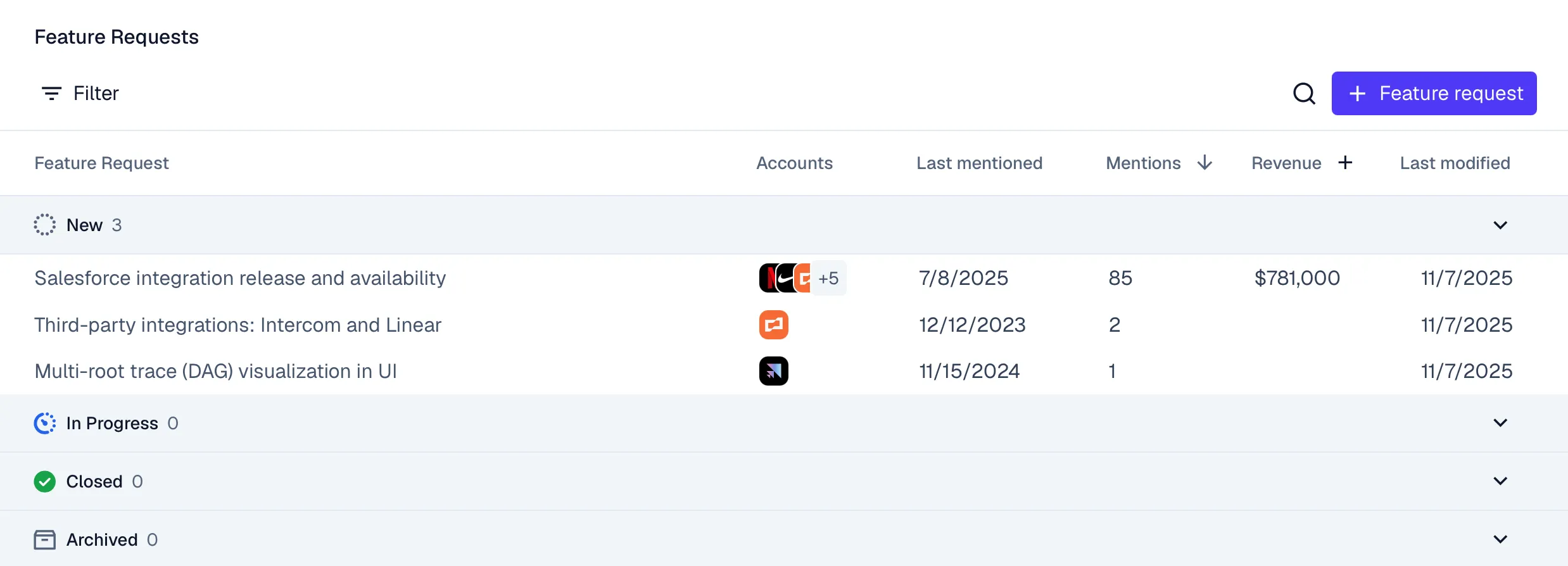
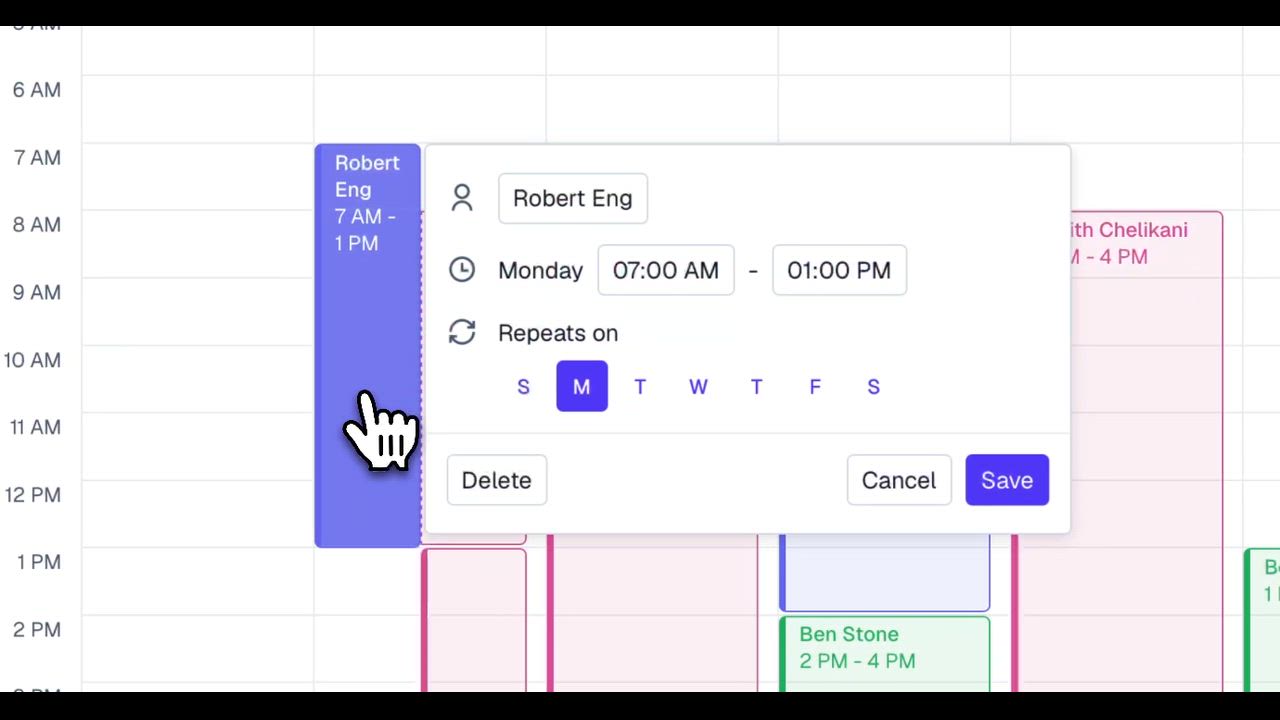
Status field and Revenue column added for Feature Requests Support for overnight shifts, recurring events, and overlapping schedule blocks in…
Filter Tasks by Project and Project owner Add images directly into notebook manual text via blocks New “Created Date” column selectable on task views…
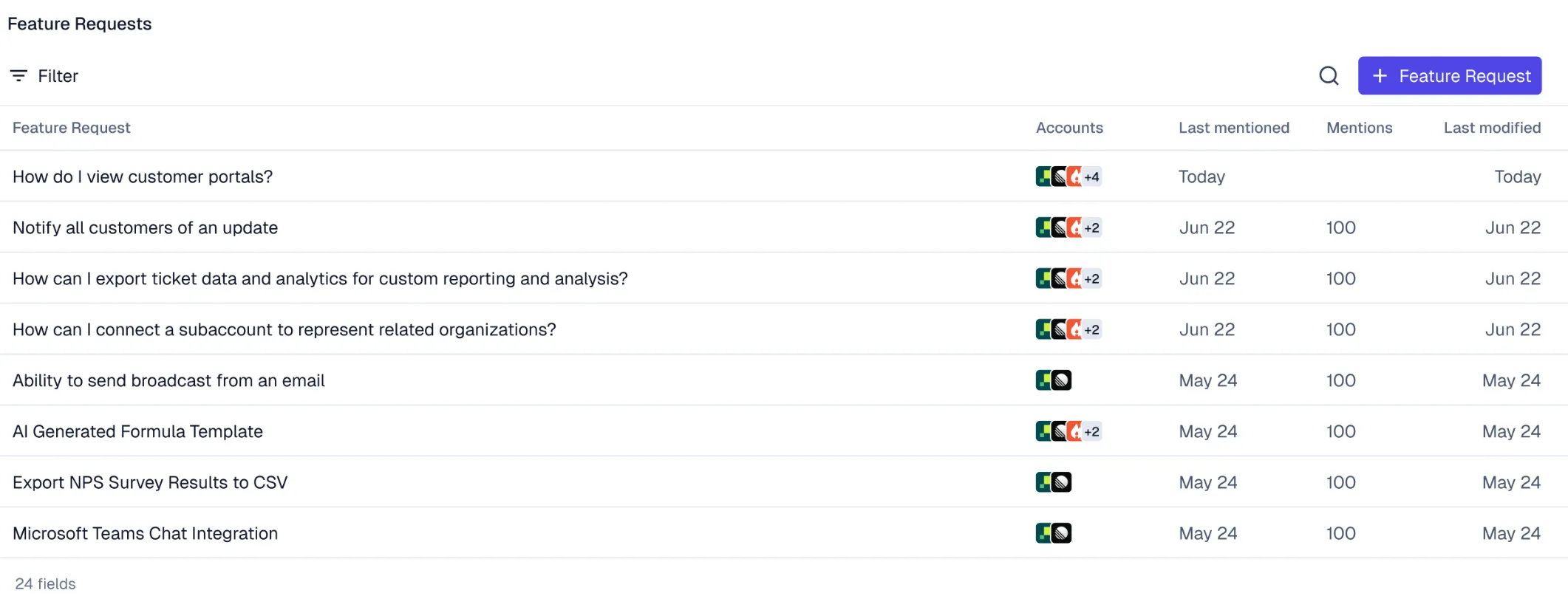
Automatically analyzes all customer interactions to extract and organize customer feedback into clear feature requests for your teams
Native ingestion of Gemini Google Meet call recordings. Like other call recording integrations, all extracted call context flows into Pylon features including account notebooks, AI fields, and more
Custom Support Hours – once enabled in chat widget settings, you will be able to set custom support hours that override your default schedule Filter…
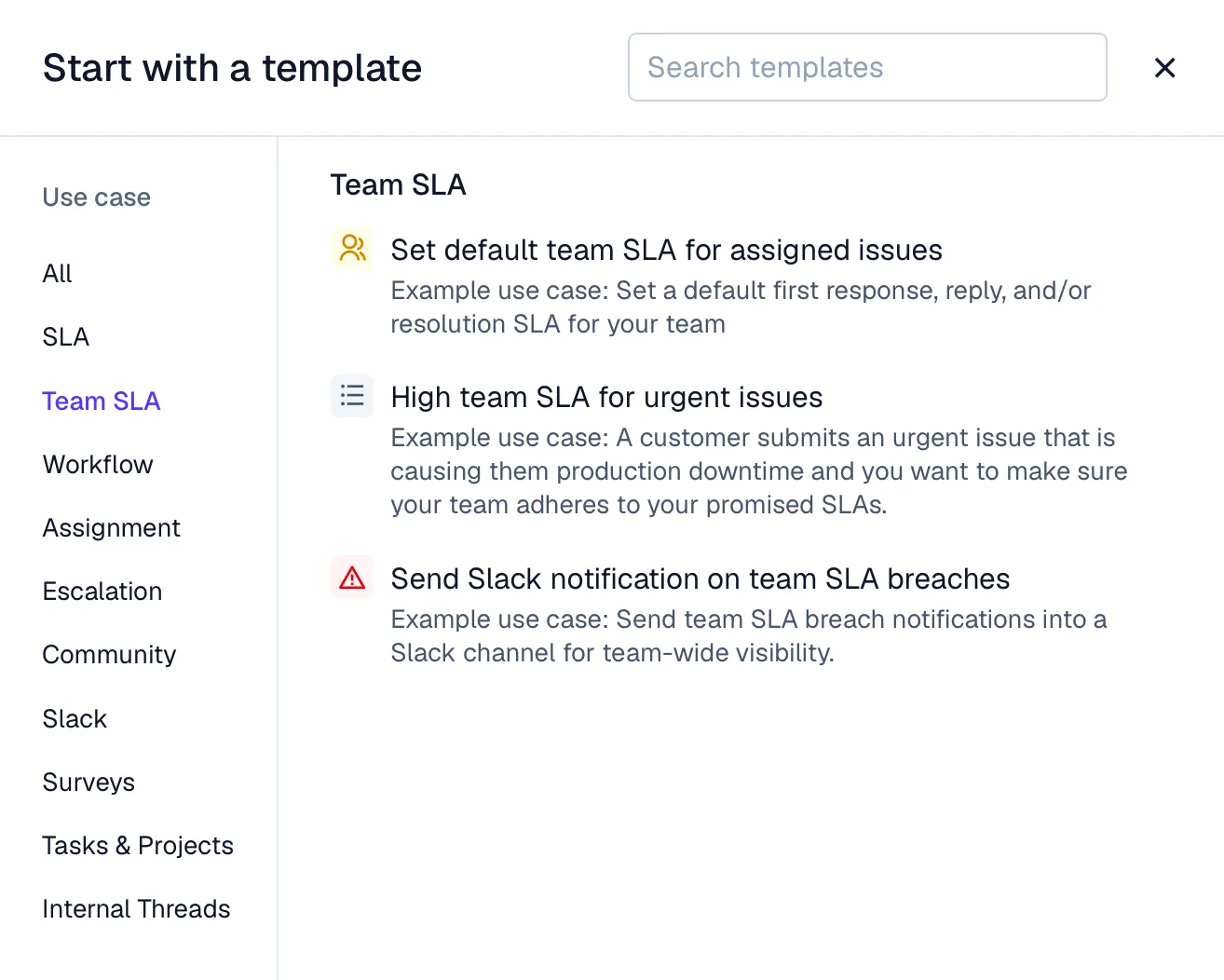
Set SLAs for how long a team is assigned to an issue—these run independently from issue SLAs
PATCH /accounts API allows adding accounts as subaccountsUser list can be exported to CSV NPS survey results can be exported to CSV Subteams in Linear are now visible
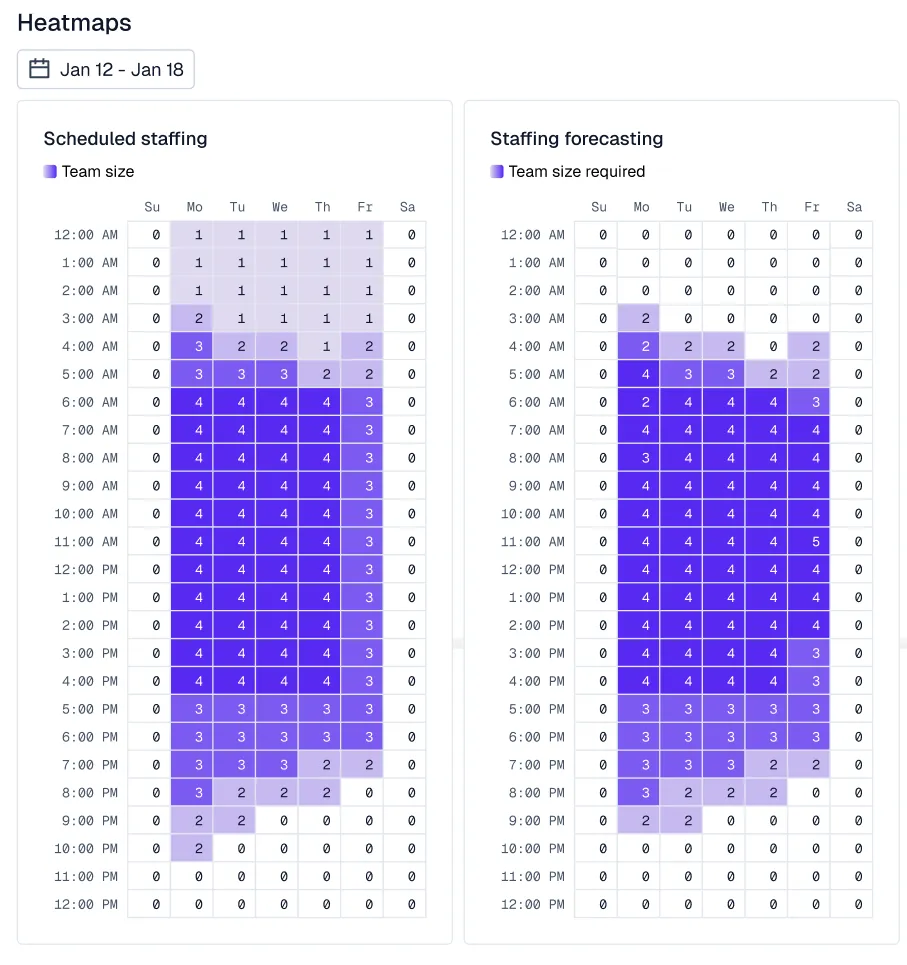
Forecast workload and optimize scheduling using heatmaps of agent activity, handle time, and ticket volume
Send trigger notifications to the account’s internal Slack channel Export CSAT and NPS survey results to CSV Get a warning when an account’s linked…

Similar to issue grouping, accounts can now include subaccounts to represent related organizations, divisions, or subsidiaries
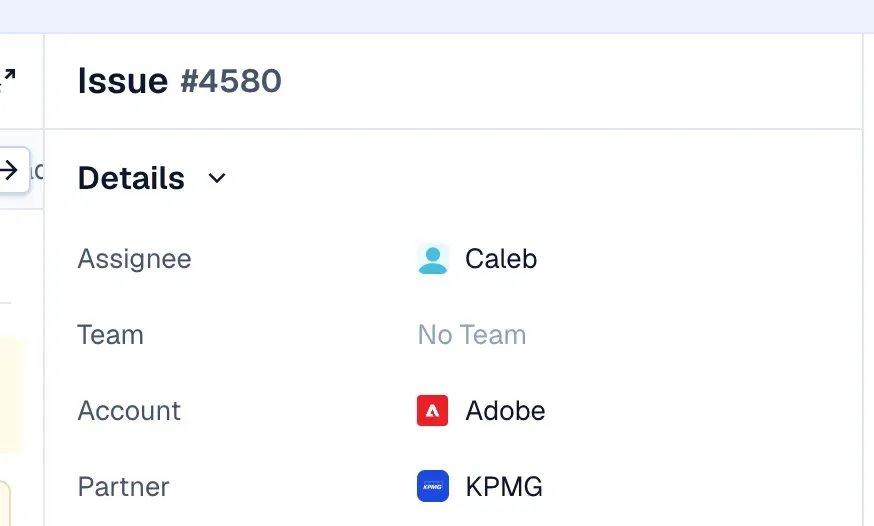
Agencies or consultants working across multiple customer accounts can now be represented as partner accounts
SCIM allows companies to provision user access to Pylon through their identity provider
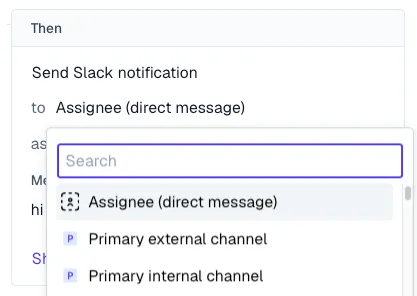
Setup multiple distinct chat widgets
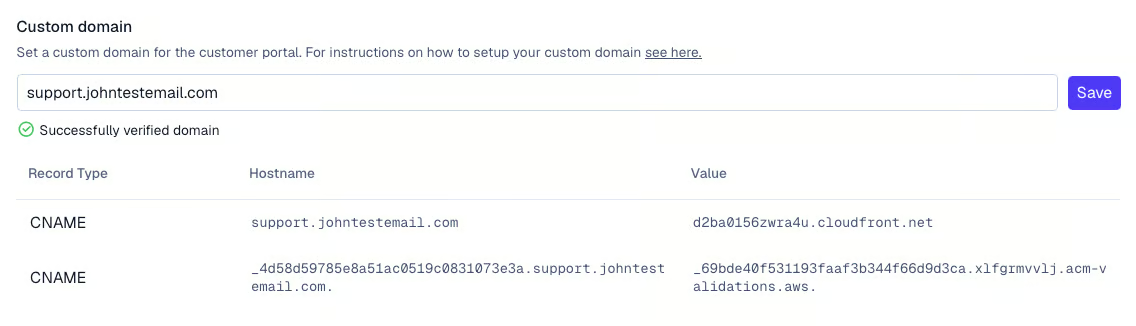
Host your portal on a custom branded domain—e.g., support.acme.com
Contacts linked to multiple accounts can now switch between them directly in the portal—for example, this allows third parties of agencies to view issues on behalf of multiple accounts
Ingest calls from any call recorder via API Web Research Templates
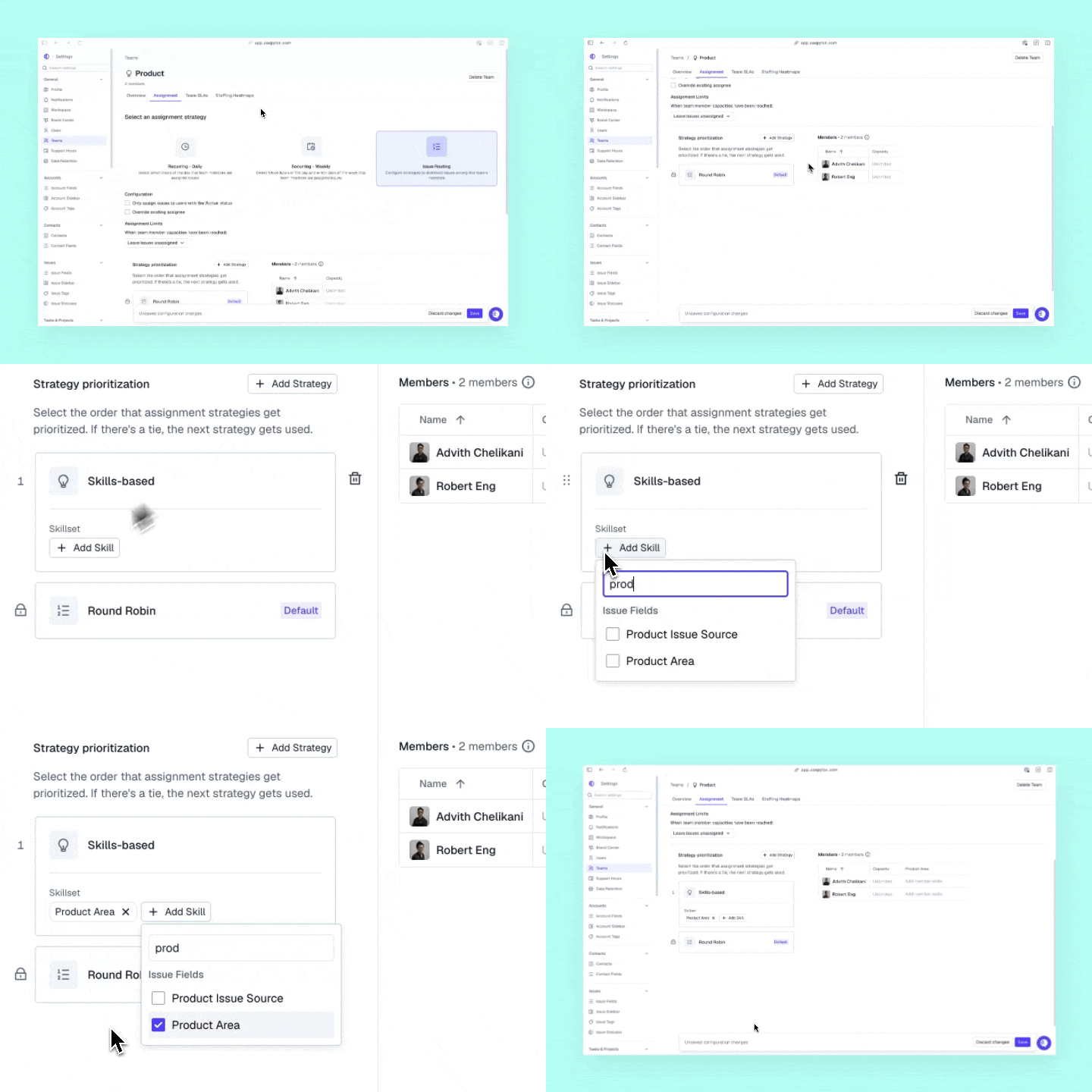
Route issues to team members based on their skillset and current workload
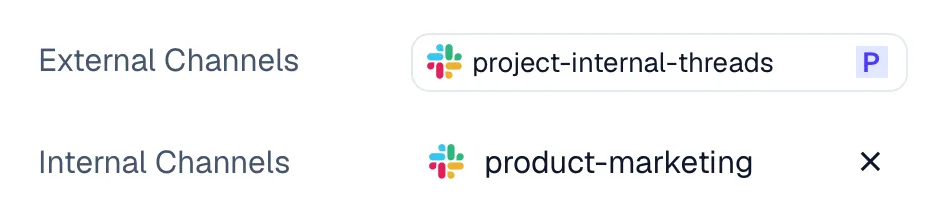
You can now link your internal Slack channels directly to the corresponding customer account in Pylon—like #deal-customer channels used to discuss deal information
Threaded email reply formatting llms.txt file is now automatically added to every knowledge base Static text blocks in notebooks—you can now add a rich…
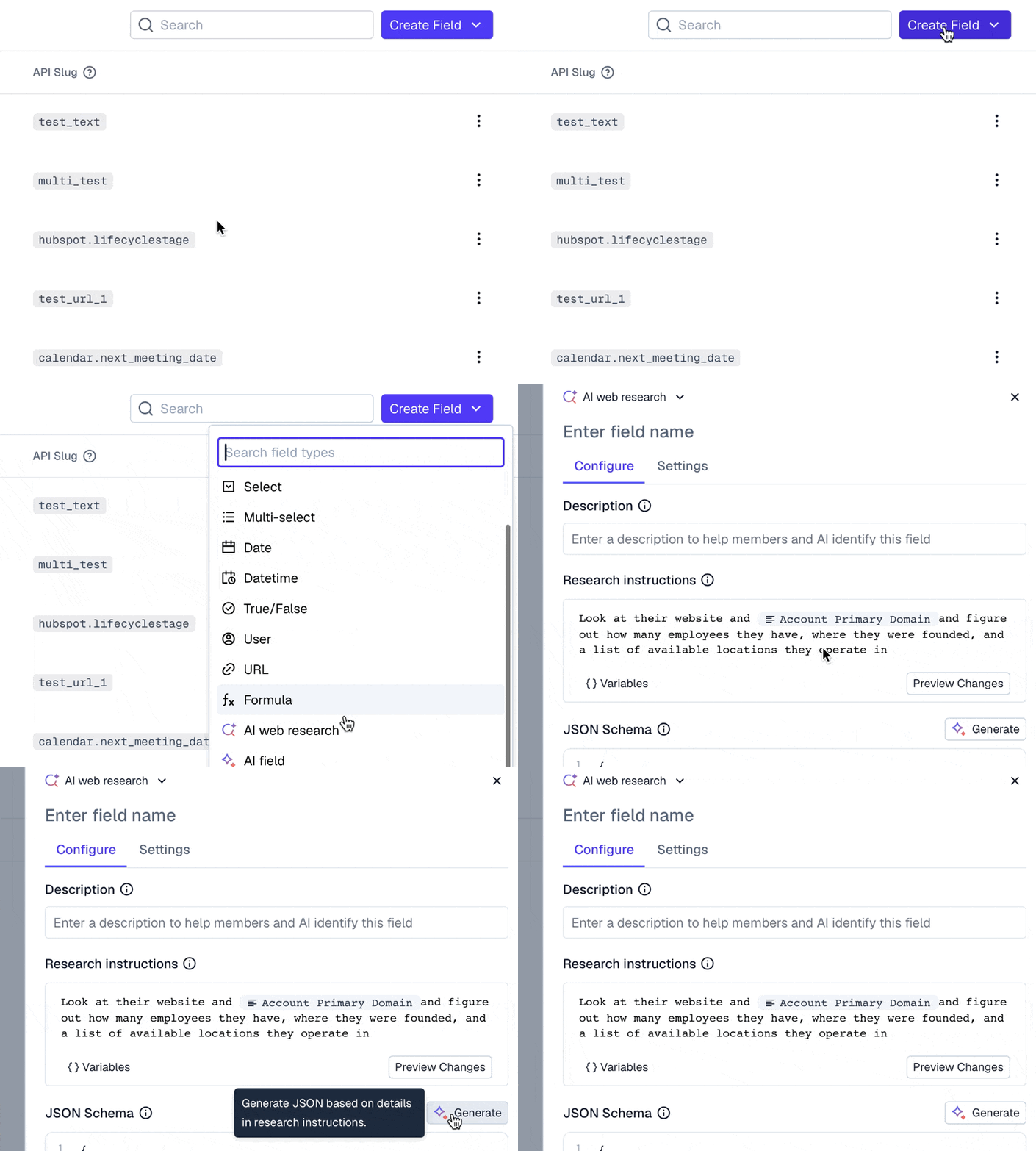
Automatically gather information about your customers from live online sources—including funding rounds, industry news, company press releases, and more.
Shortcut integration – Integrate Pylon with Shortcut’s project management software Granular selection of knowledge base articles – You can now select…
Automatically detect anomalous patterns in issues. Pylon’s AI scans incoming issues in real-time to detect clusters of similar issues indicating a wider spread problem—like active outages for example.
Status badges now appear for status of training data scrape on individual pages—not just the root URL Tasks and milestone have visibility indicator to…
Task custom fields Active call status visible at top of support ticket New formula templates for number of QBRs, number of open issues, and more New…
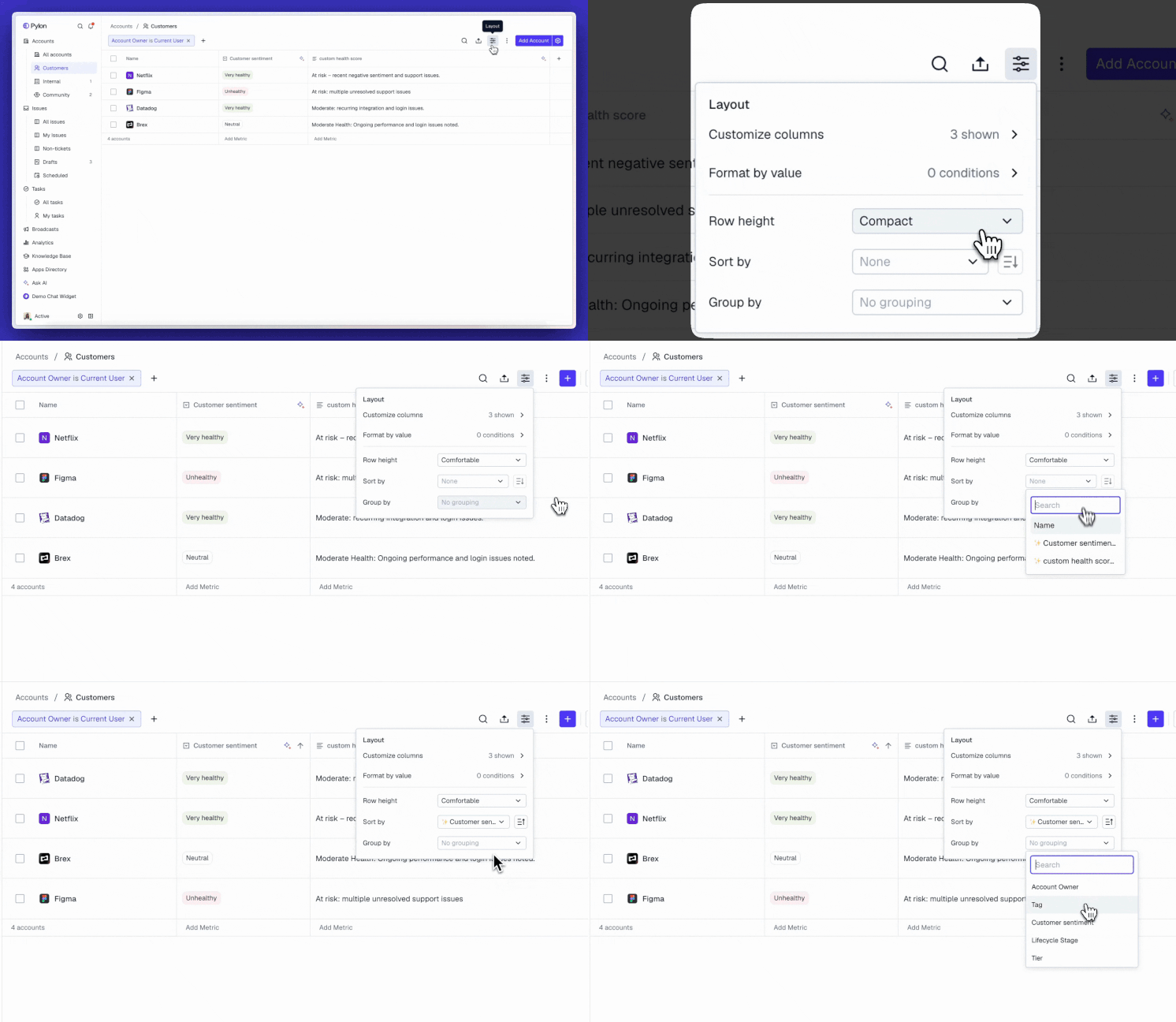
Allow selecting row height, grouping accounts, and choosing sorting dimensions in account views. Visualize accounts by groups of account owner, tier, product purchased, and more.
CRM account sync – Select a set of filters and automatically create accounts in Pylon based on filtered accounts in your CRM. Allow bulk setting tasks…
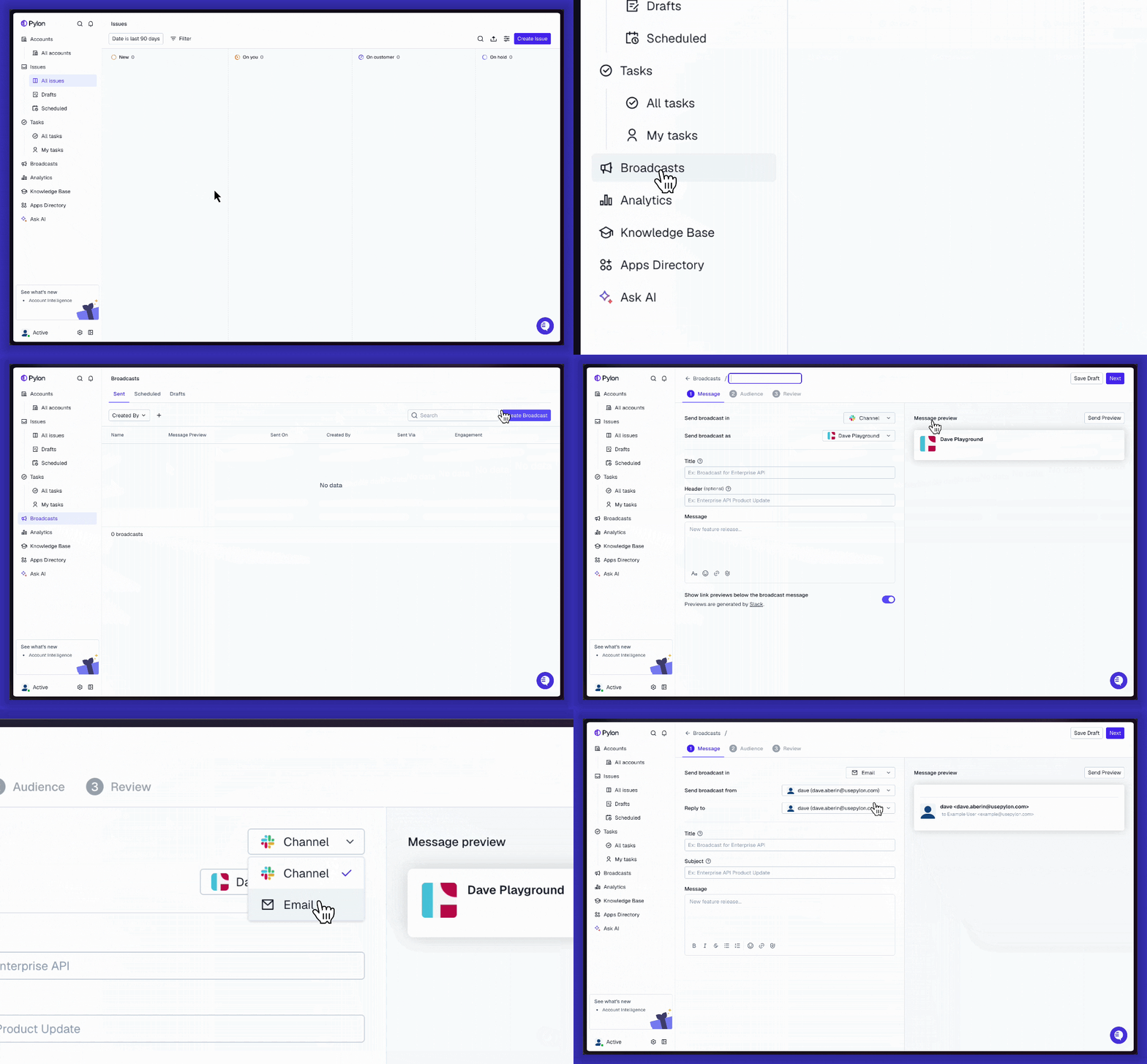
Knowledge base search inside chat is now AI-powered—users get synthesized answers with citations when searching in chat. Meeting properties like…
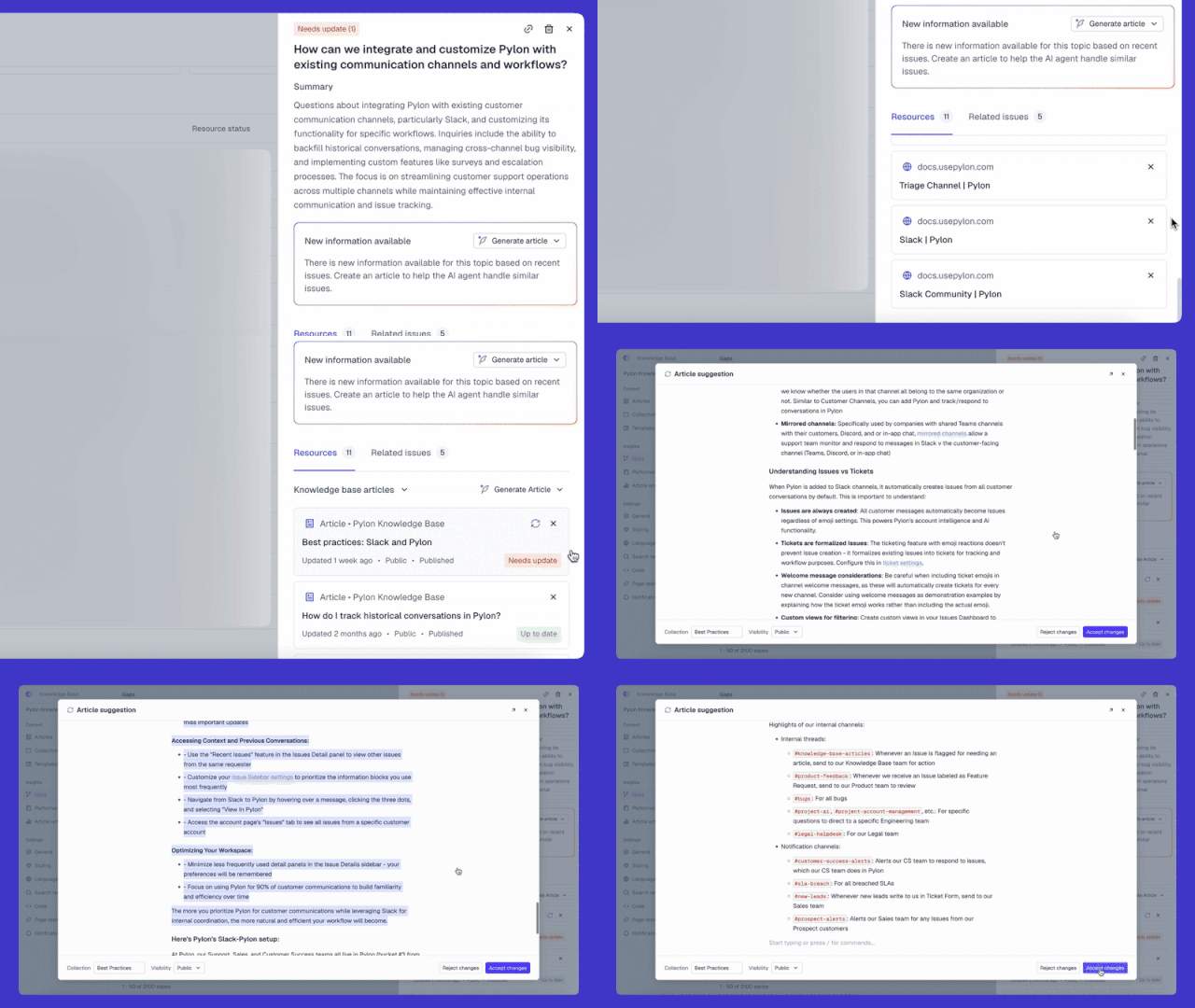
AI will now flag documentation that needs updates and draft suggested edits for you automatically.
Formula and AI field edits now allow for previewing column values. NPS and CSAT survey results can be used in formulas. Multiple slack channel naming…
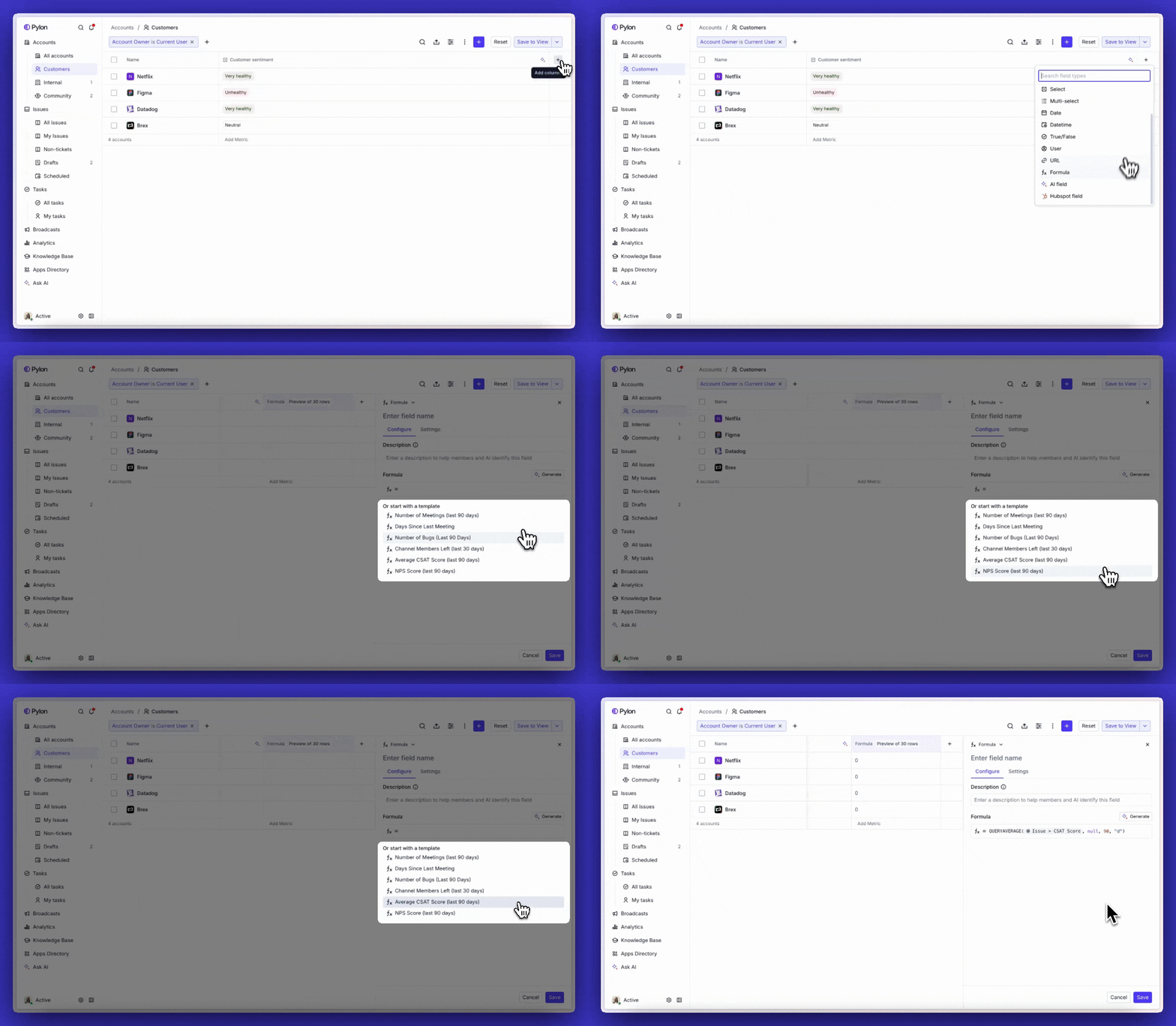
• Out of the box recommendations for helpful account intelligence formulas.
Files can be uploaded on the account level. Percentage field type from Salesforce field sync is now supported. Endpoints for creating, updating, and…
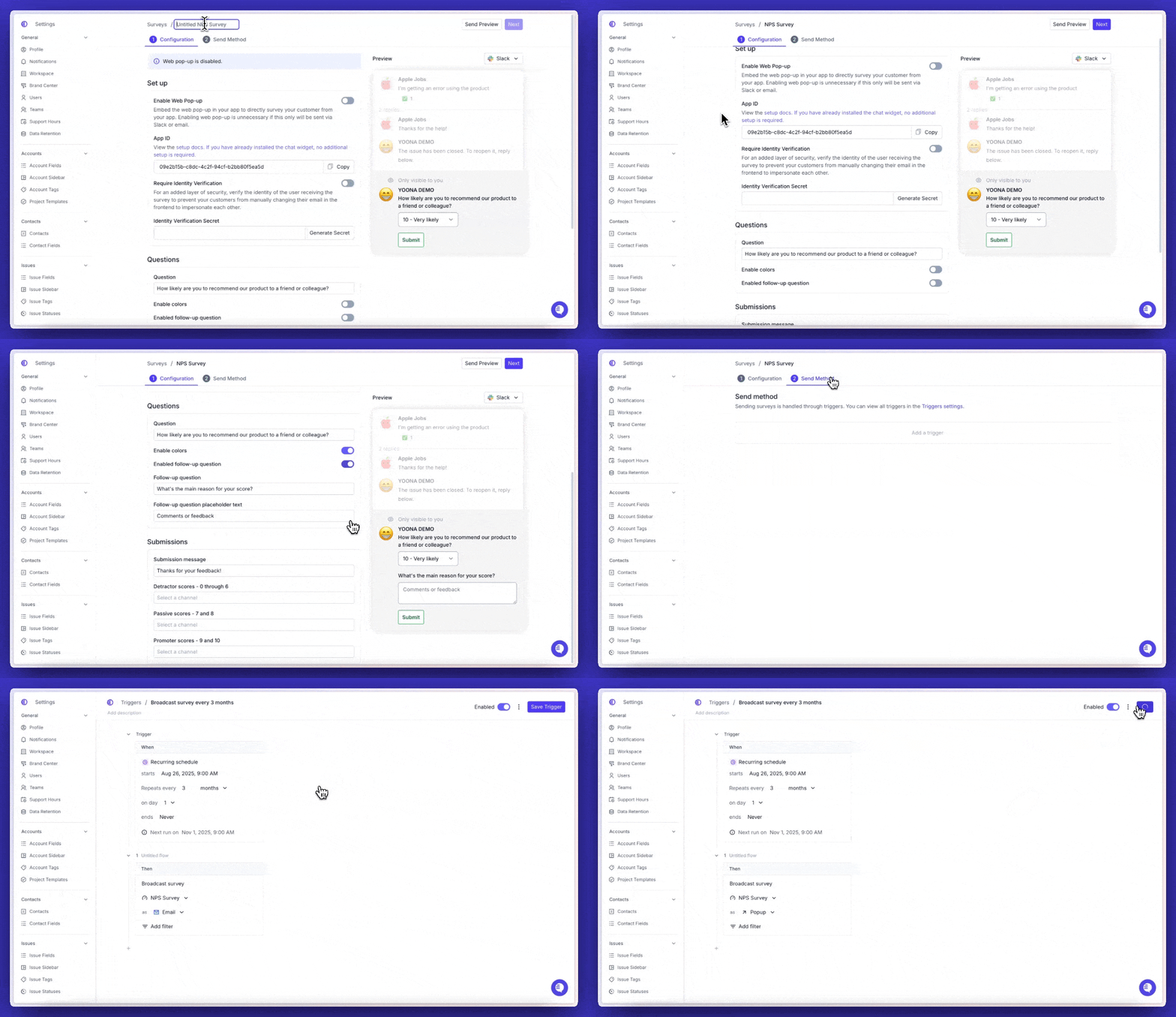
• Create and send out NPS surveys to customers across channels like email, chat, and Slack
• See out-of-the-box analytics or rollup survey results using formulas, for example for account-level NPS
• Send generic surveys to collect ratings and feedback on specific features or products
Turn valuable signals scattered across your customer conversations into actionable insights.Here's how Account Intelligence works for you: • AI Fields…
Turn valuable signals scattered across your customer conversations into actionable insights.
Here's how Account Intelligence works for you:
• AI Fields 📊: Tell AI what to track in each account—pull insights from customer and internal conversations, CRM, product data, and more.
• AI Notebooks 📓: Get instant context on any customer with customizable AI blocks that surface the full story behind every field.
• Formulas + Formula Copilot 🧮: Build custom formulas by describing what you want in plain English, like health scores combining sentiment and engagement.
• Projects & Tasks 📌: Organize action items into structured projects with AI-generated tasks and project templates that both you and your customers can track.
• AI Call Followups 📞: Extract action items from call recordings and turn them into trackable tasks for you and your customers.
Comma-separated emails now auto-format into chips when pasted. CSV export in list view adheres to the custom set of columns visible on the page.
Improved notebook formatting: AI now supports better spacing, bolding, and structure. Use contact language as a variable in runbooks—tailor AI Agents…
Connect Microsoft Teams to Pylon to track issues and respond to messages all in one place.
Add aggregations on account spreadsheet columns. Apply ticket settings automatically on sets of accounts. SAML SSO login. Filter issue logs by runbook.
• AI Agents can be enabled in QA mode, where they will post internal notes instead of responding to customer issues, allowing you to review responses.
• QA mode generates issue logs that include which sources the AI Agent used in answering questions
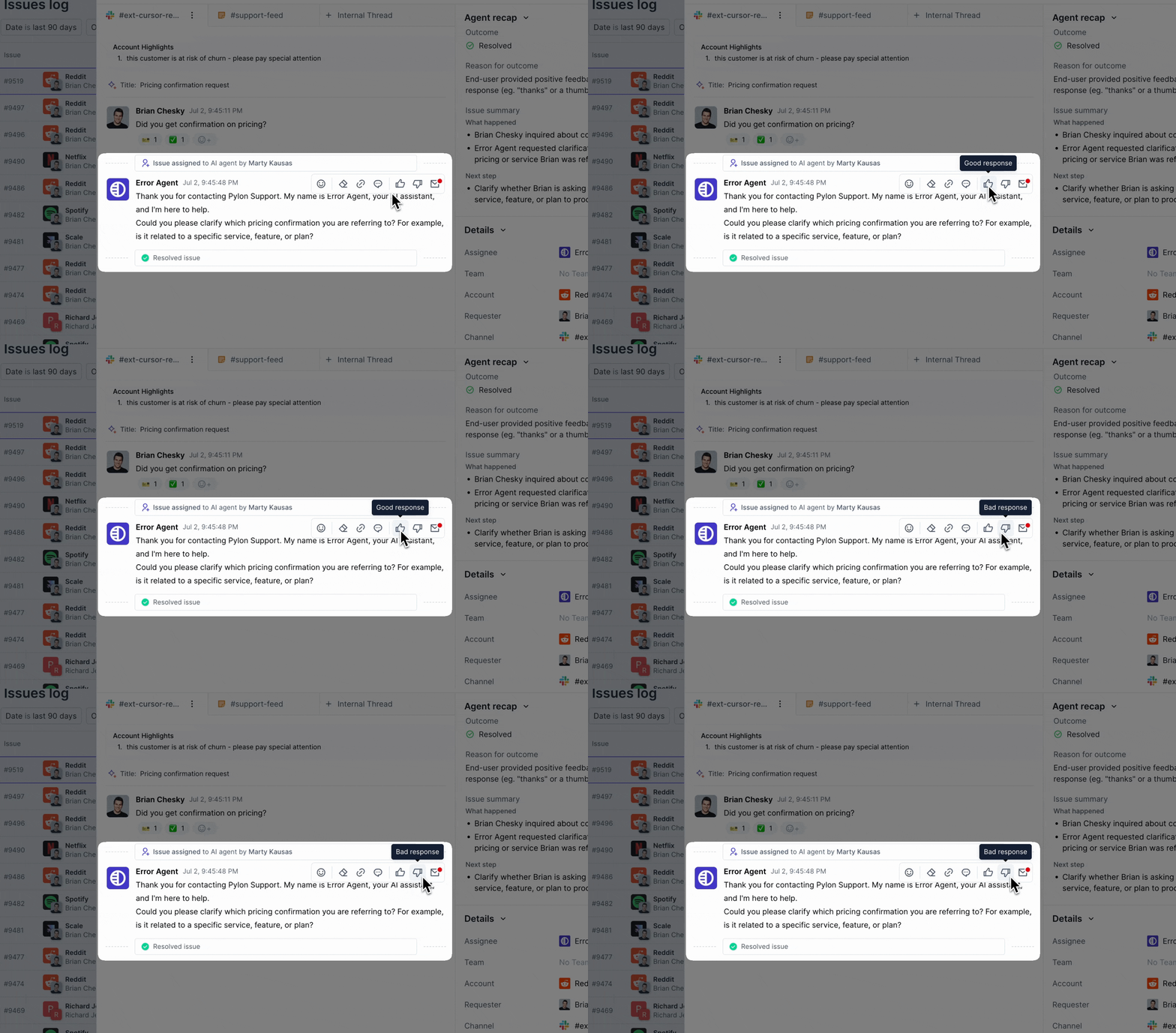
Give feedback on AI responses. Redshift integration for data warehouse sync - connect to sync Pylon issue data into Amazon Redshift. Improved UI for…
New palette of keyboard shortcuts accessible across the app, including quick navigation to specific pages or quickly searching for certain objects.
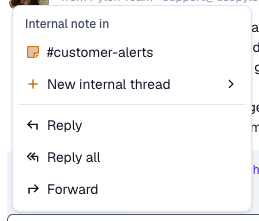
Reply all and forward options are now available for emails. Format number fields to display currency, commas, and more. New Brand Center as single…
Duplicate view action Set date or datetime custom fields to the current time in triggers. Bulk issue tester now displays runbook execution status.…
• Write runbooks that both humans and AI Agents can execute.
• AI Issue Suggestions will suggest when a runbook is applicable, and a team member can click the runbook to directly execute it.
You can now use code as training data and connect GitHub repositories to AI Agents and AI Assistants. New default analytics dashboard for anyone using…
• Team members can connect their Google or Outlook calendars for customer meetings to automatically feed into Pylon.
• Two new default fields: Last Meeting Date and Next Meeting Date that stay updated across all accounts, allowing you to create views for those you haven’t met with, or use the fields in account notebooks.
Improved UX for adding filters. Sort button. Auto-focus on URL field when adding links. New "Add Follower" and "Get Users" Zapier actions. New string…
• Runbooks: Step-based natural language instruction manuals to specify how the Agent should operate in specific scenarios. Includes the ability for the Agent to take actions within Pylon or custom actions via API.
• End-to-end analytics on the agent funnel, including assign rate, response rate, resolution rate, etc.
• Advanced testing and debugging capabilities including backtesting your AI agent on old issues, stepping through agent execution of a runbook with a debugger, and inspecting agent performance on specific issues with reasoning.
• Granular control of training data, including removing specific pages from a web scrape.
Drag columns to reorder. Set colors for select and multi-select options Auto-focus on URL field when adding links.
Triggers now feature a pwoerful canvas-style builder that allows you to:
• Branch logic using "If" and "Else If"
• Add multiple kickoff conditions
• Stack time delays
• Title different branches
• Disable specific conditions
• Use AI filters to intelligently route issues
Learn more about how to use triggers here.
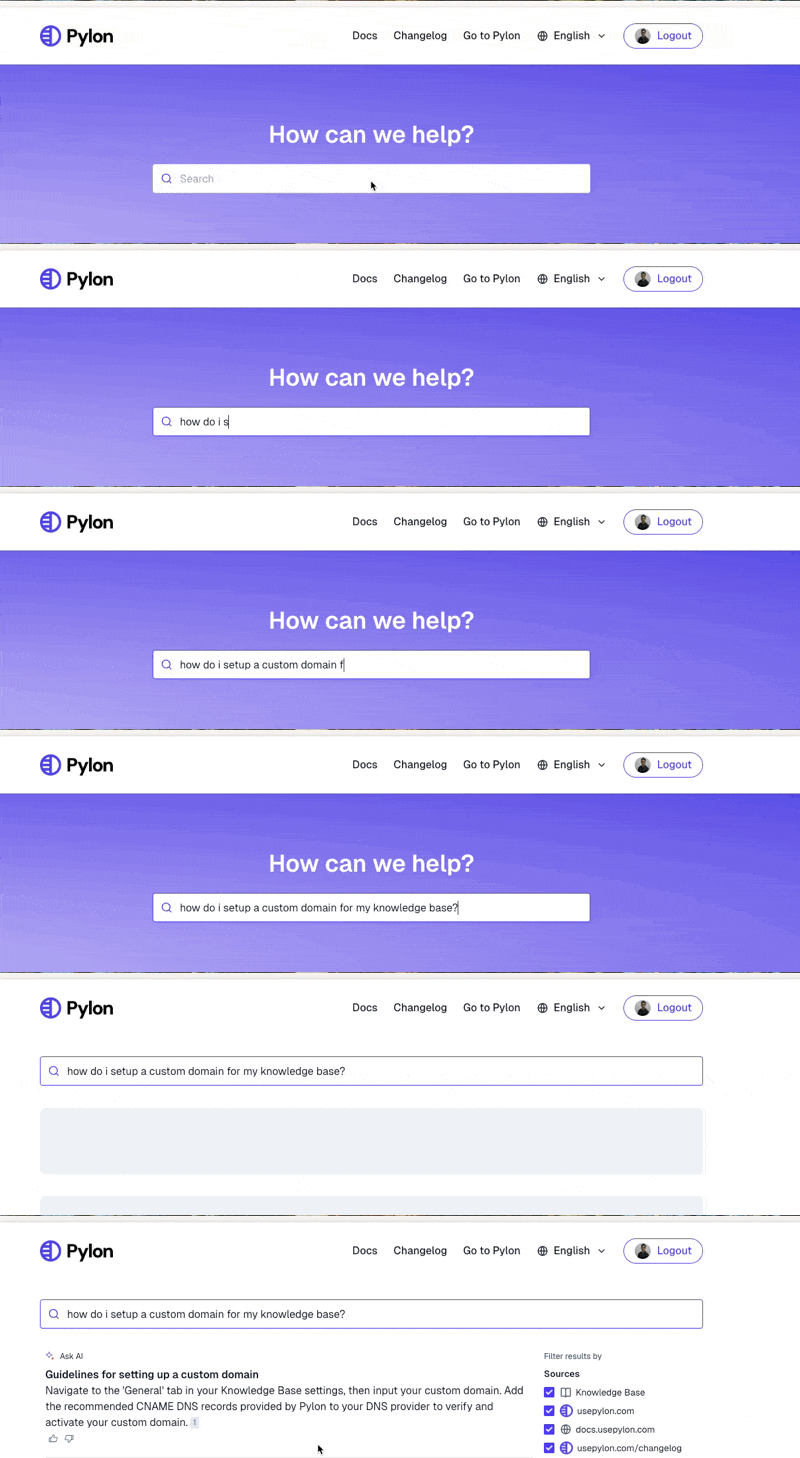
Get a synthesized answer with a citation as the top result when searching questions in the knowledge base.
New UX for adding new fields as columns. Ticket forms now allow video uploads. Pylon attachment in Linear now shows ticket number. Email notification…
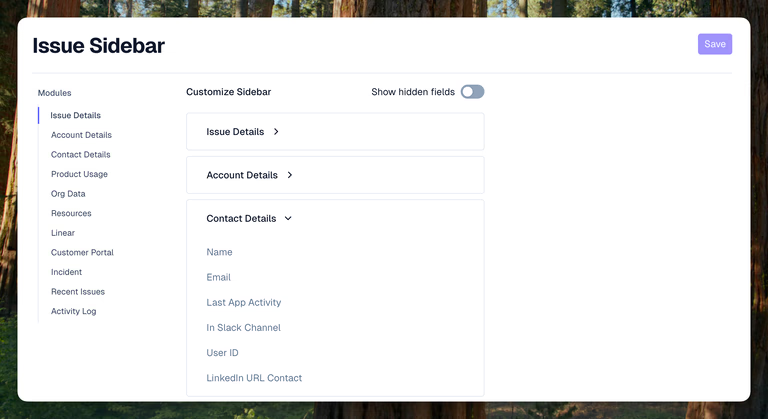
Change the ordering and visibility of fields and modules on the issue and account sidebar. Learn more here.
New UX for merging issues. Filters for setting context. Specify what your Ask AI query should search over. The search icon now opens the same unified…
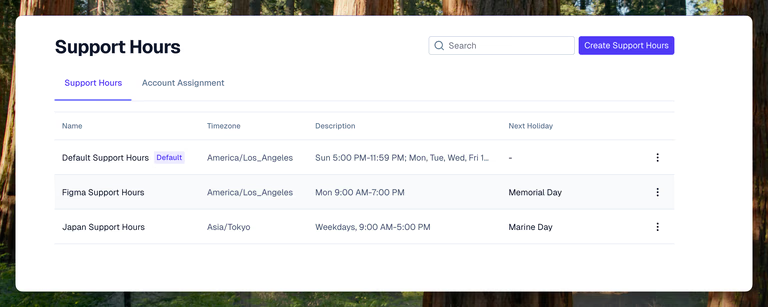
Create support hour schedules with default or custom holiday settings and assign them to specific customers.
Thinking state in chat widget while AI is answering. Create issues without needing to link them to an account. Share a direct link to the AI issue summary.
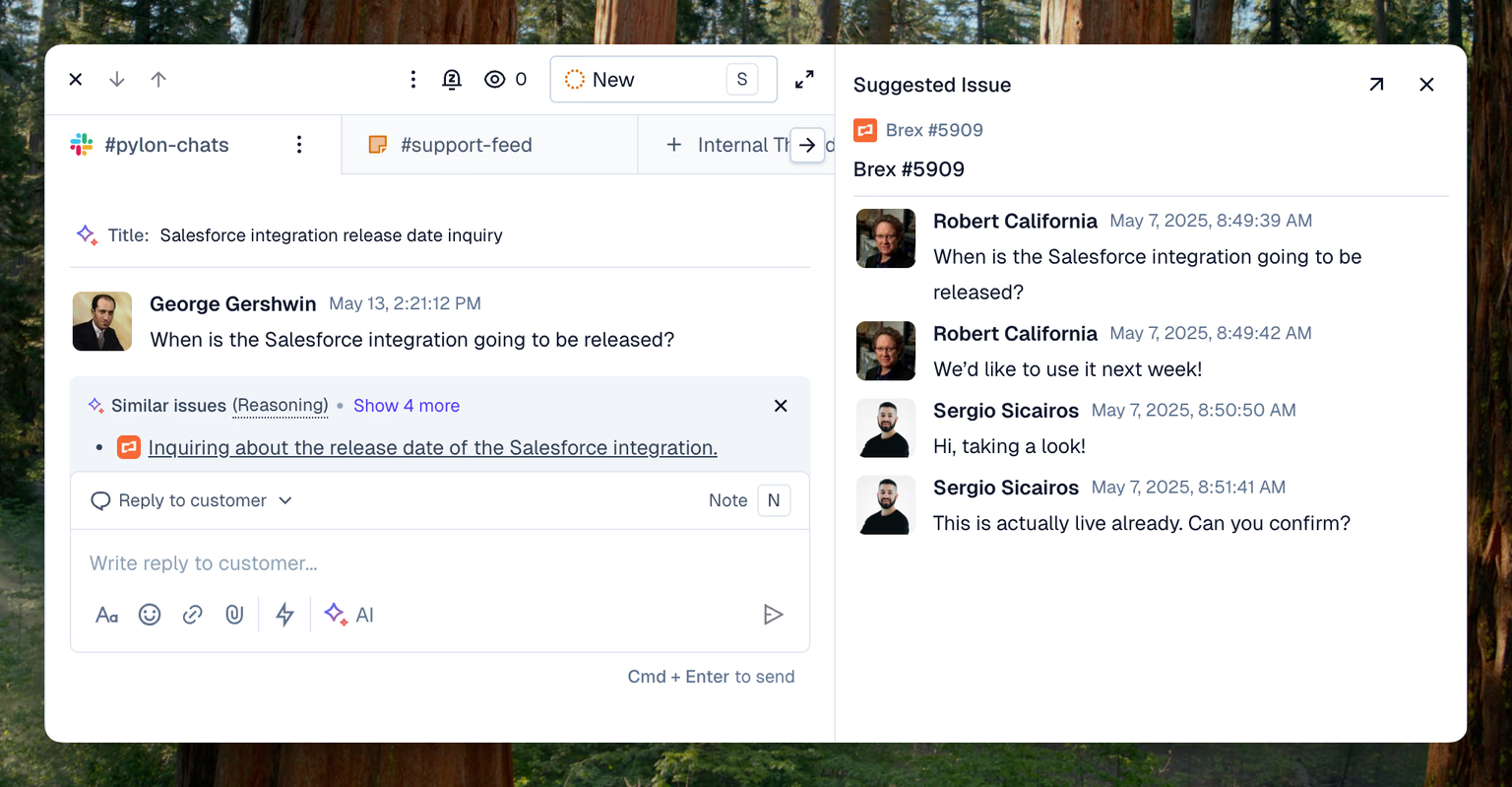
See recommendations above the message editor for similar issues or documentation that may help you solve the current issue.
New UX for the Linear, Jira, GitHub, and Asana module. Export charts to CSV. Greatly improved load times of dashboards. New account fields available as…
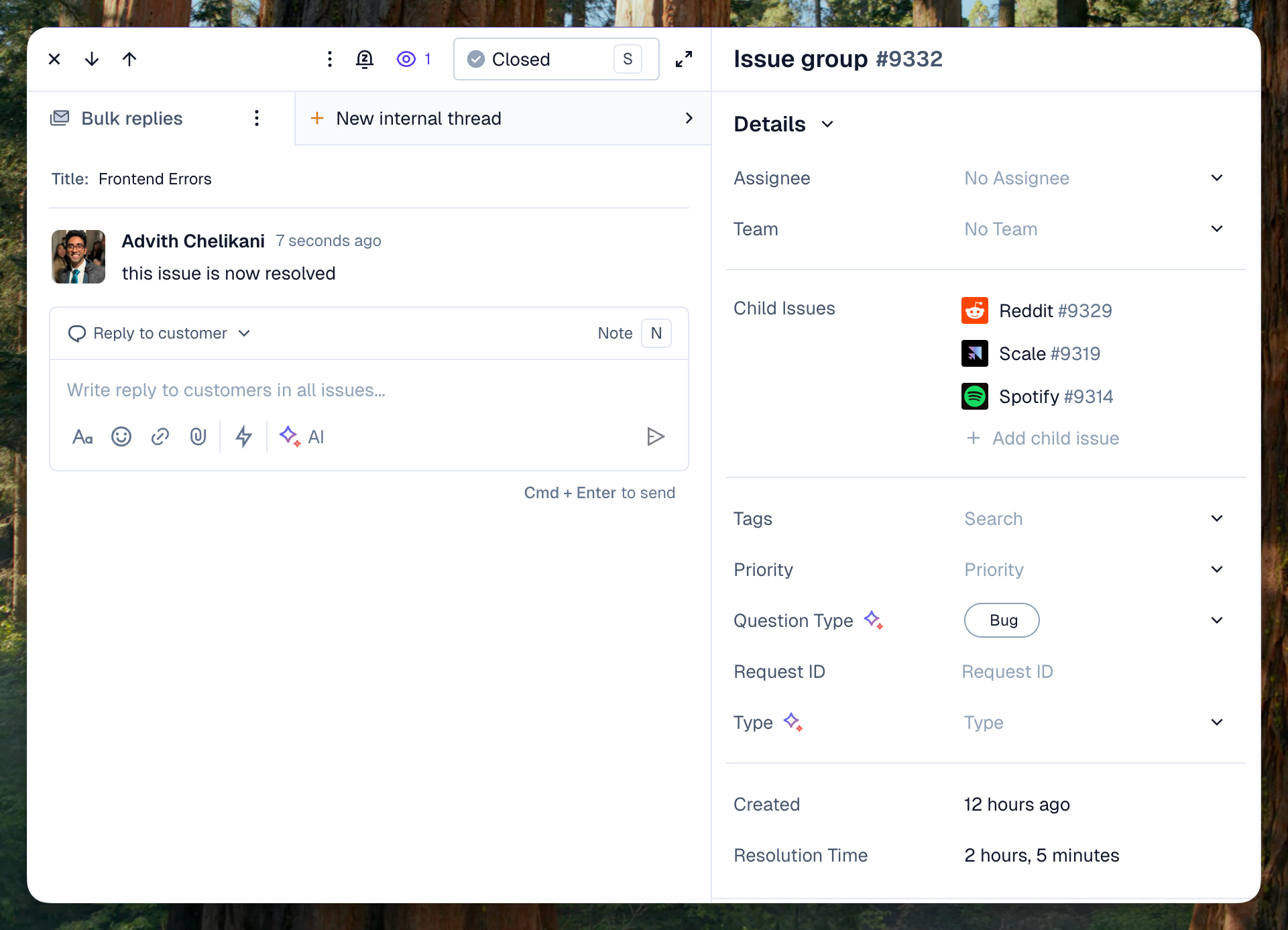
Introducing parent-child relationships between issues and a new interface to manage parent issues. Learn more here.
Replace the default "How can we help?" header with any phrase Save filters on default dashboards. Default lookback for charts is now 120 days. New…
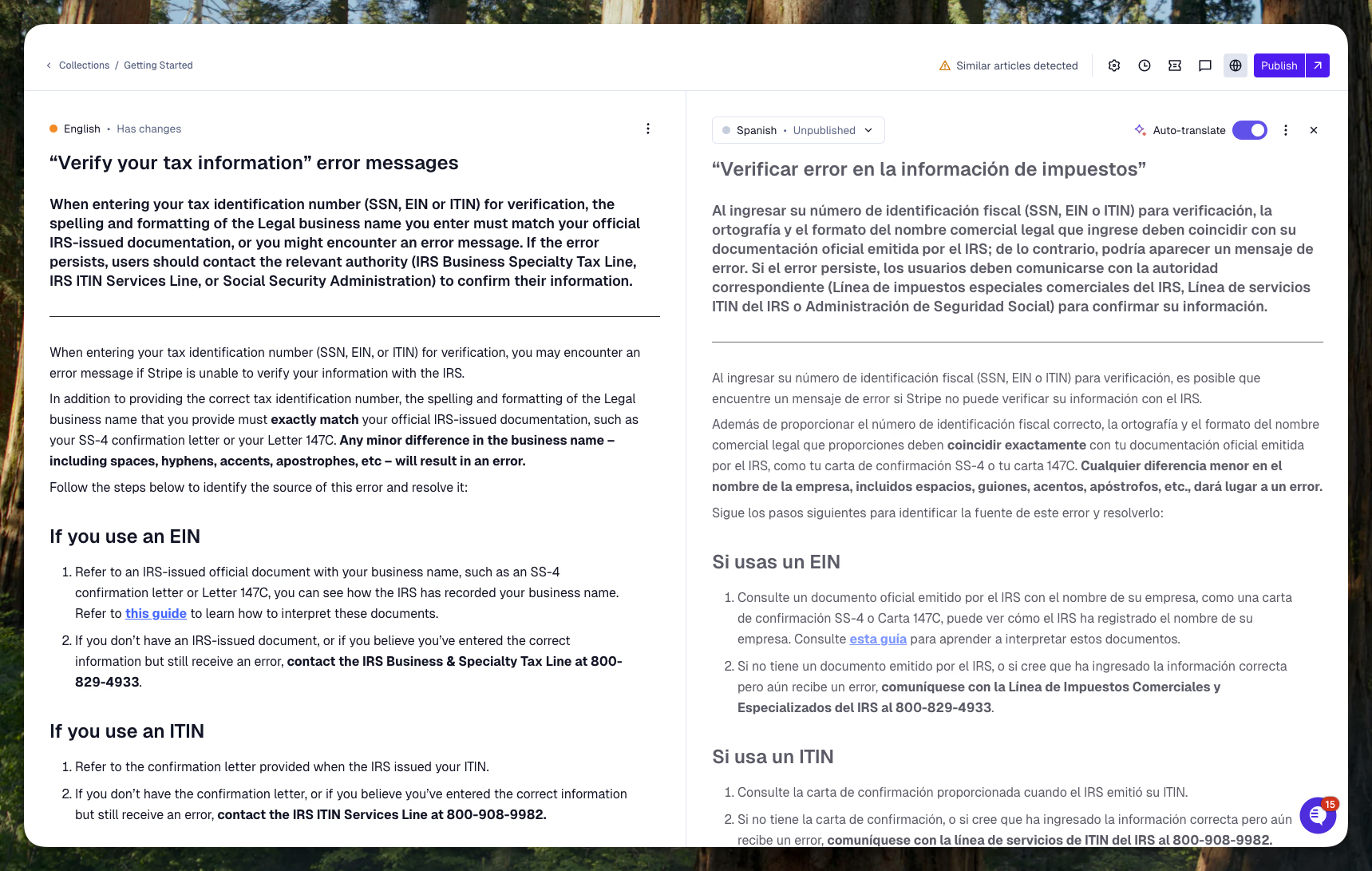
Create charts using AI. Create, update, and delete account highlights via API. Move contacts between accounts via API. Recent calls show inline within…
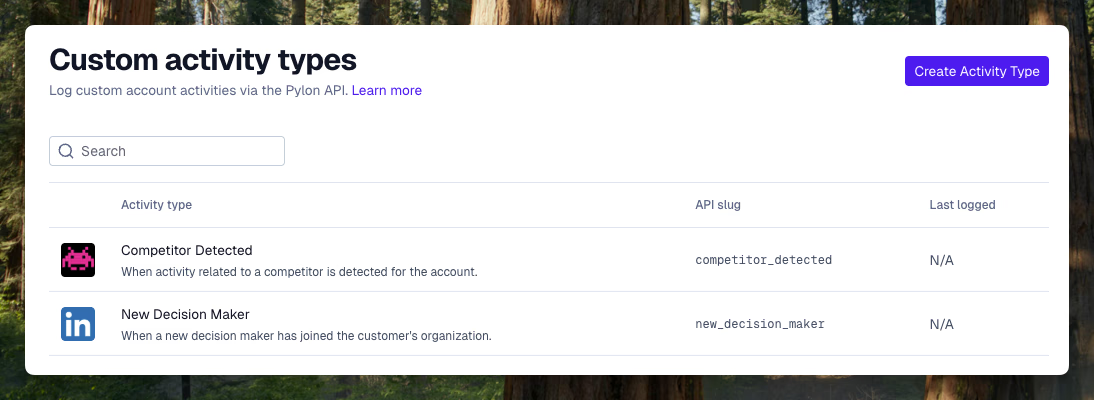
Learn more here
• Create custom account activity types like "New Champion Detected"
• Write activities to accounts directly via the API from other tools or your product
issue.created_at and issue.resolution_time.Objects can be @ mentioned to guide query. Edit view titles and icons inline. Customer portal URL and title now available in issues CSV export. Issue…
Bulk reply to a group of issues. Multiple channels per account. You can route issues from multiple channels into the same account and manage each…
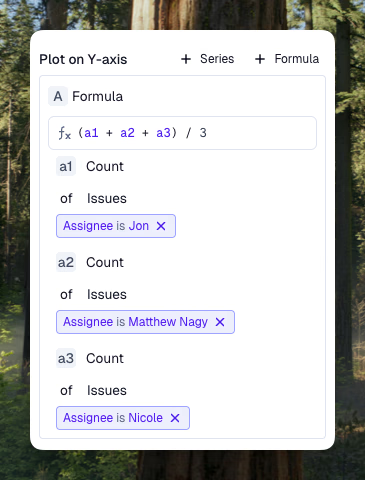
current_user.account.crm_account_id.We’re launching Account Management: One place to see, manage, and share customer context—so you can support customers proactively, not just reactively.…
We’re launching Account Management: One place to see, manage, and share customer context—so you can support customers proactively, not just reactively.
• Plug in data from customer calls in addition to async communication from email, in-app chat, Slack, Microsoft Teams, Discord, etc. and CRM data that Pylon already has access to.
• Use notebooks to iterate on blocks of information you want AI to surface for different use cases, or add blocks like analytics graphs, engineering issues, or other custom data.
• Ask questions about accounts to pull up information you need—right when you need it.
• Pass context across customer success, sales, and support so everyone is on the same page when working with customers.
• View the most recent activity like champions leaving/joining, recent calls, and custom events.
New feedback notifications UX, now with email alerts. Add GitHub as a social footer icon. Articles code blocks support HTML. Cleaner message editor…
issue.last_message.author.name.Message-level analytics is now available. Improved attachment rendering. Download all attachments. Faster load times for search results. Ability to…
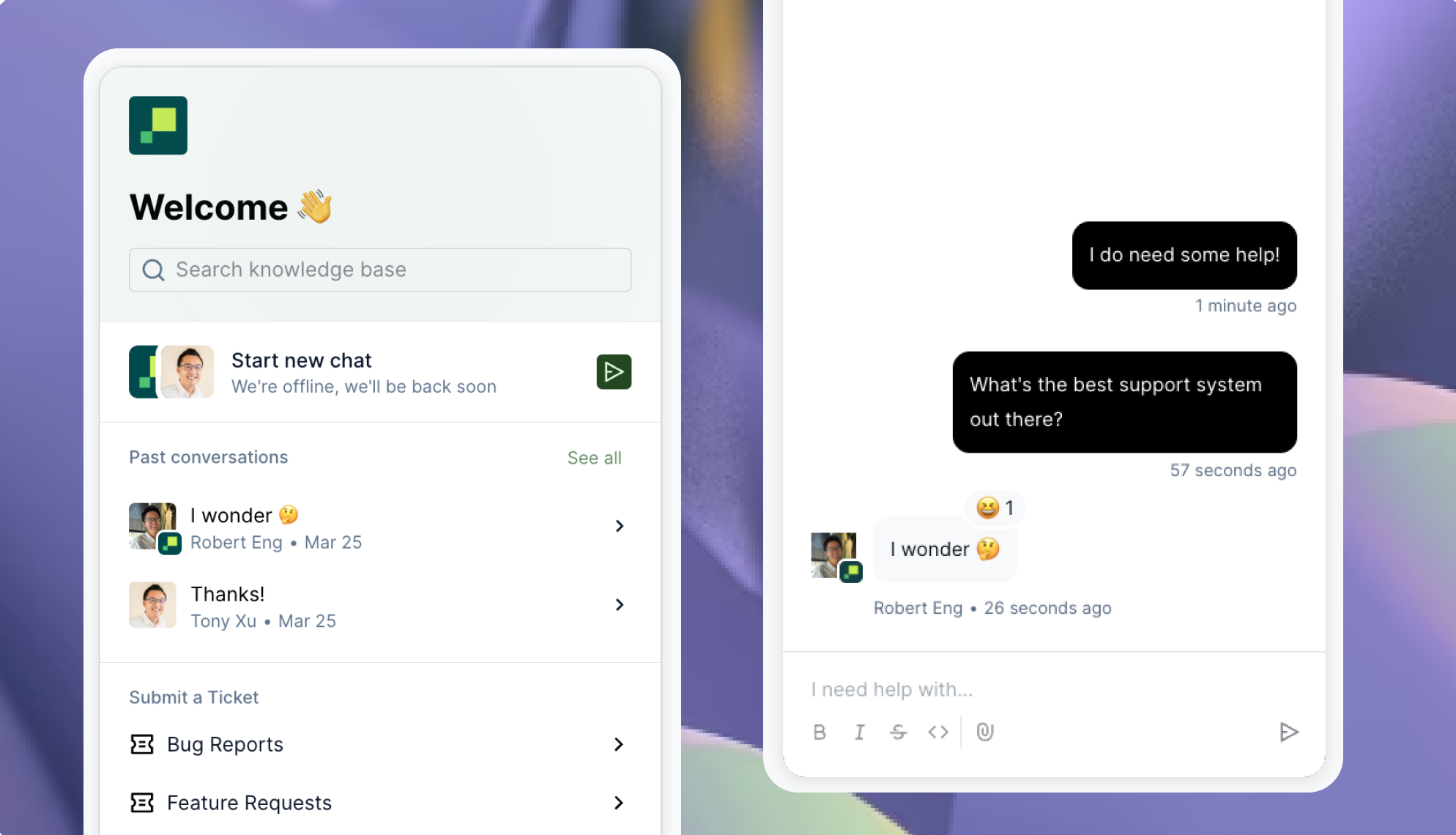
• New and greatly polished chat experience for your users.
• Improved chat configuration experience.
account.domains.Improved incident.io integration now uses incident numbers. Jira module now shows a native Pylon issues link directly on the Jira issue. New API to…
CRM Sync Revamp:• Sync account-level fields from Pylon into your CRM• Enjoy an improved UX for mapping accounts and syncing fields! Customize AI…
• Automatically translate incoming customer messages into your native language.
• Write replies in your native language, and they'll be sent to your customer in theirs.
actor (the user executing the macro).Now available as a Copilot within the issue sidebar. Conditional visibility of ticket form fields. Autocomplete email addresses based on past…
Total end-to-end revamp of analytics featuring significantly improved UX and functionality.
• Huge improvements to UX and ease of chart building.
• Custom dashboards and charts with resizing, drag & drop, and more.
• Complete set of filters on the dashboard and chart level.
• Preview chart data in tables below the chart.
• Fullscreen, print, and share charts and dashboards.
• Drilldowns to click into graphs and see individual data points.
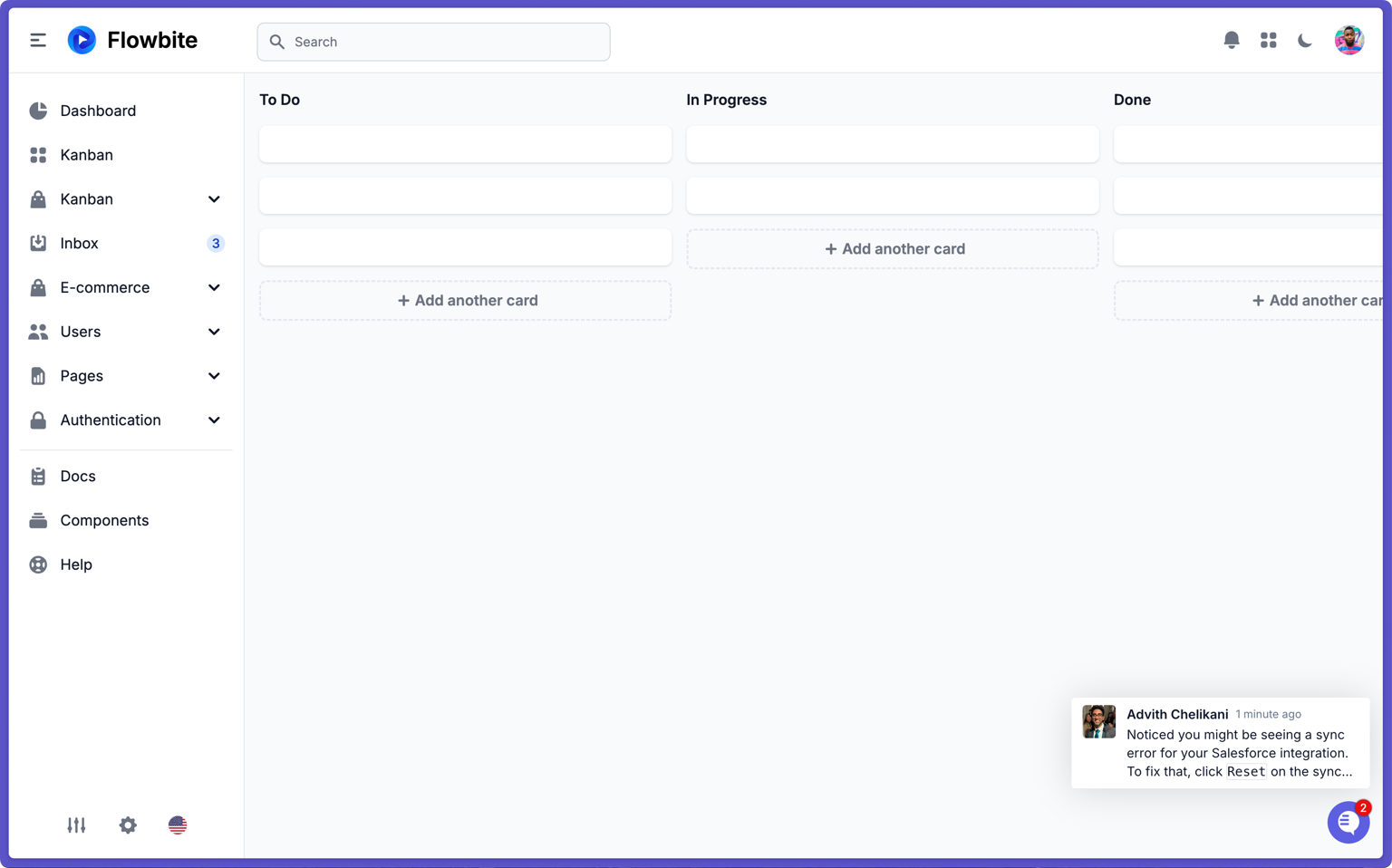
• Open up proactive issues with specific users in your app to notify them or offer help.
• Available via creating a new issue in the Pylon dashboard or via API!
Users will see chat responses via email and can reply directly from their inbox. Create a proactive issue in Microsoft Teams. AI title is now a…
• New spreadsheet view for accounts: Quickly edit cells inline, bulk select to take action
• Create, hide, reorder, and share views: Now all visible from your navbar
• Flexible columns: Customize, reorder, and change width of columns
• Export account lists to CSV
Complete with rich text formatting, images, and engagement tracking!
Context hints on what the AI is searching. See how AI interpreted your query to give you hints on how you may want to reword your next query. Banner on…
View which user left feedback. Upload files as training data, usable by all AI features. View graphs in fullscreen. Print analytics dashboards.
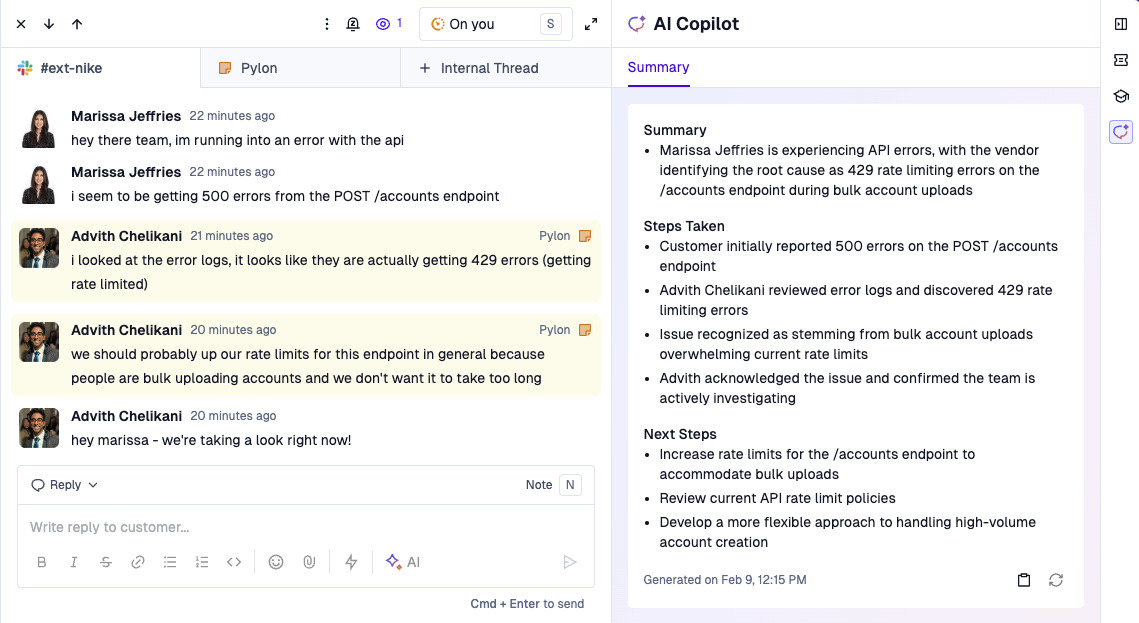
Always up-to-date issue summaries in our new AI Copilot tab 👀 Use summaries for passing off context on complex tickets (especially through timezones), reviewing tickets easily, and sharing out key information with the broader team!
Click into graphs to see individual data points!
Add images inline in emails and Slack messages. New filters for articles by status, author, and more. Common topics based on customer questions. Allow…
Now with a greatly improved UX, using the filters you know and love from across Pylon. Stay tuned for improvements to more improvements to custom dashboards!
Send replies or notes at a scheduled time in the future when you know your customers or teammates will be online. Learn more here.
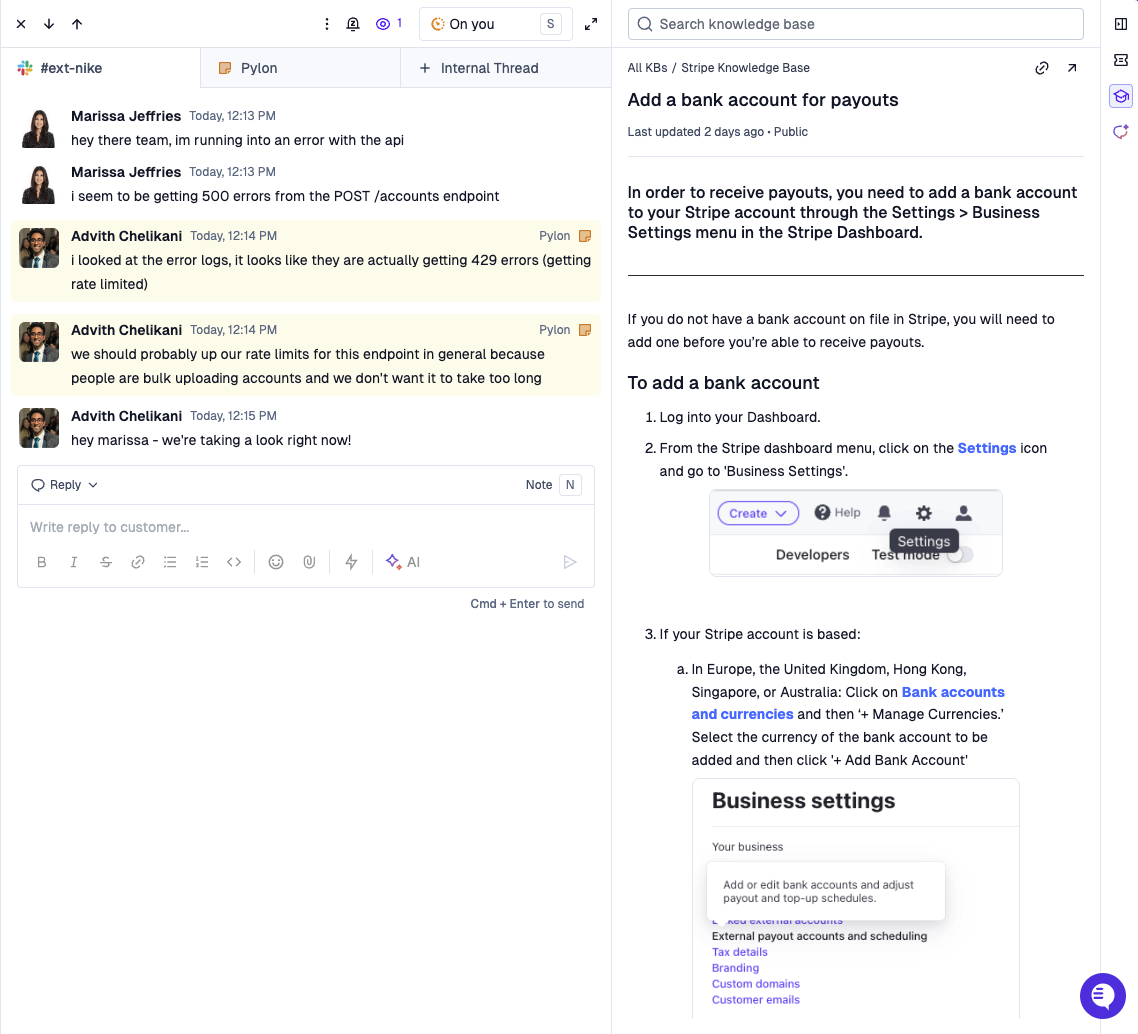
View and send links to knowledge base articles directly from the issue view. Click the "Knowledge Base" icon on the right sidebar to toggle!
Create internal email threads. Query responses are now streamed - so expect much faster performance! New action to snooze issues in bulk. New action to…
Pass down account_id to associate issues with specific accounts. Pass down account_external_id to force association of issues with a certain account…
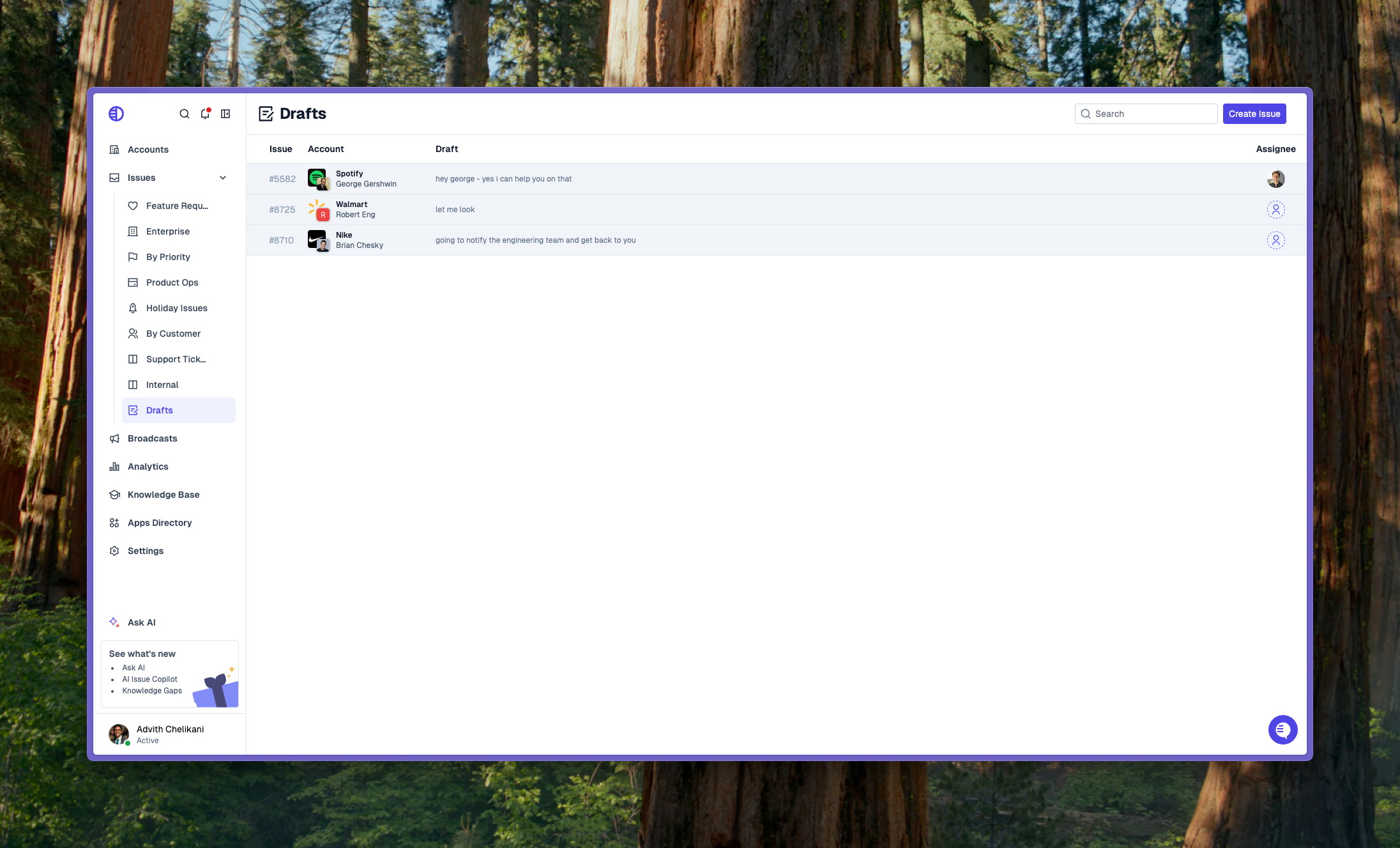
View and manage all your draft messages in one place!
account_id to associate issues with specific accounts.account_external_id to force association of issues with a certain account using your internal customer identifiers.last_message template variable added.Views can now be hidden. Knowledge base sources are now visible in citations list. Knowledge base sources are now visible in citations list. Include…
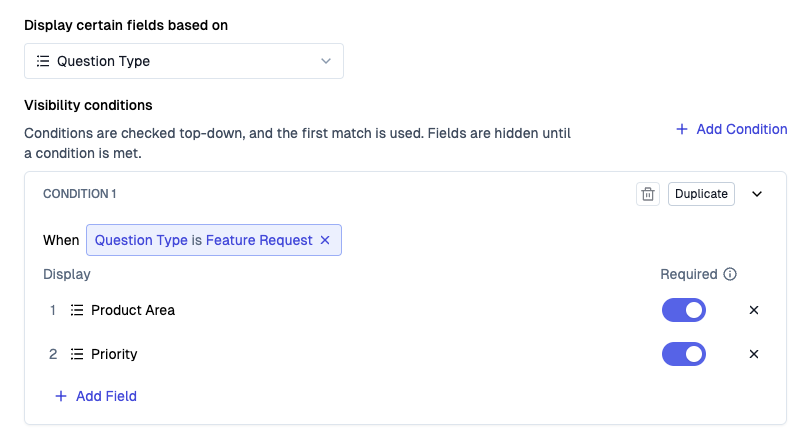
• Set visibility conditions on issue fields, such as showing a set of fields when the issue is a feature request.
• Set requirements on issue fields, such as requiring a field to be filled out when closing an issue.
Create customer requests in Linear from Pylon issues. Learn more here.
Send replies to channels for Slack issues. Filter search results by product issue. Share views with multiple teams or individual users. Tag and custom…
One of Pylon's most powerful features yet. Ask open-ended questions about your data. Learn more here.
• See citations for answers to your questions, past search history, and share searches with team members.
• Use this for product feedback aggregation, feature discovery, support trends, team member onboarding, customer sentiment, account summaries, and much more!